
See who every Jira request is waiting on.
RequestOps shows what's left on every request and who has it, nudges the right person, and shows managers where the time goes.
Every request says In progress But who is it waiting on?
- Your team
- The customer
- Another team
- An approver
- A vendor
Try it here. It's the real app.
RequestOps running with sample data. Take the 30-second tour, or click around yourself.RequestOps running with sample data. Open it and tap around. Nothing is saved or sent.
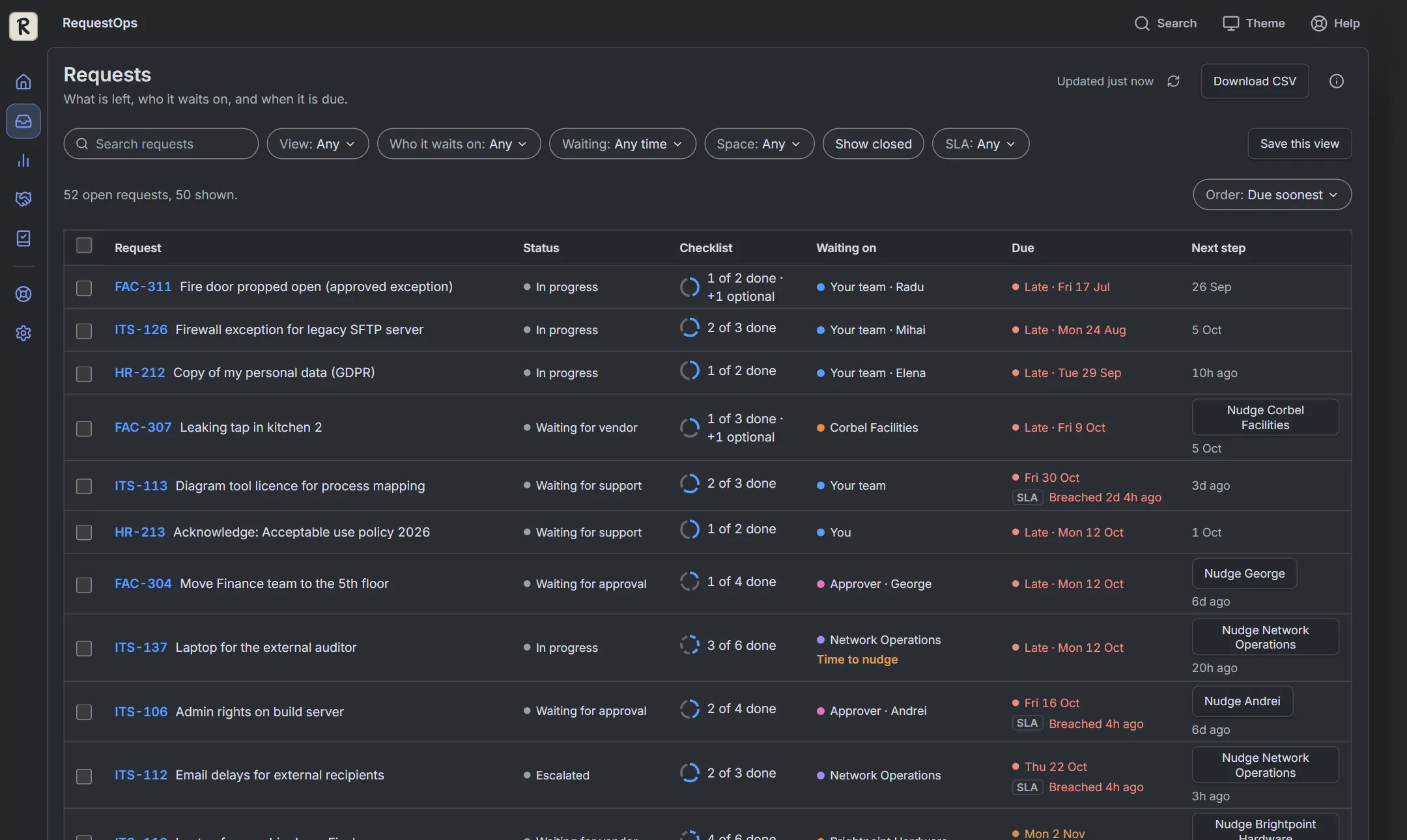
The real app with sample data. Nothing is saved or sent.
Everything a request needs
to get finished
All RequestOps features 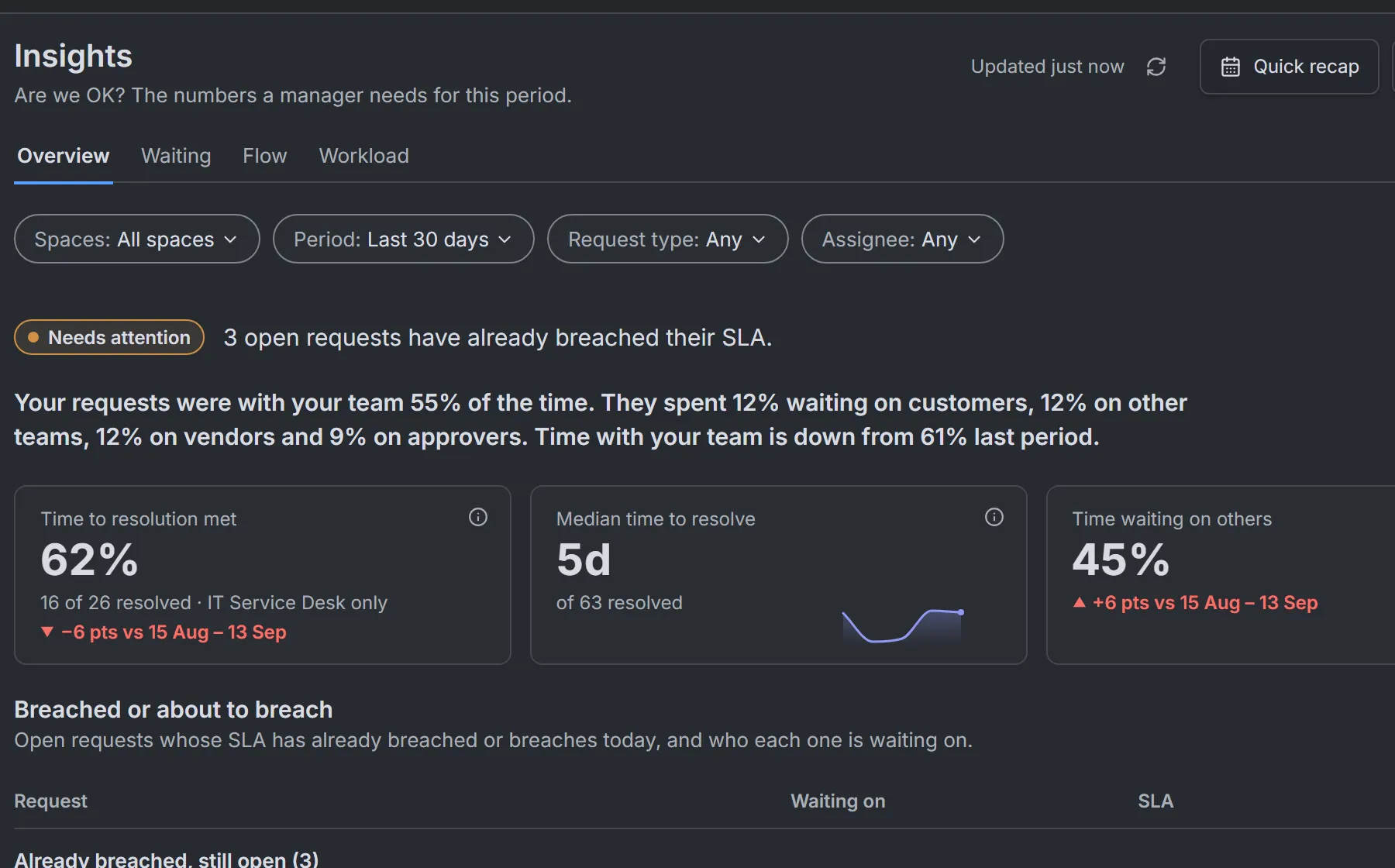
"Are we OK?" answered
A verdict for managers, what is about to breach its SLA, and who each request waits on.
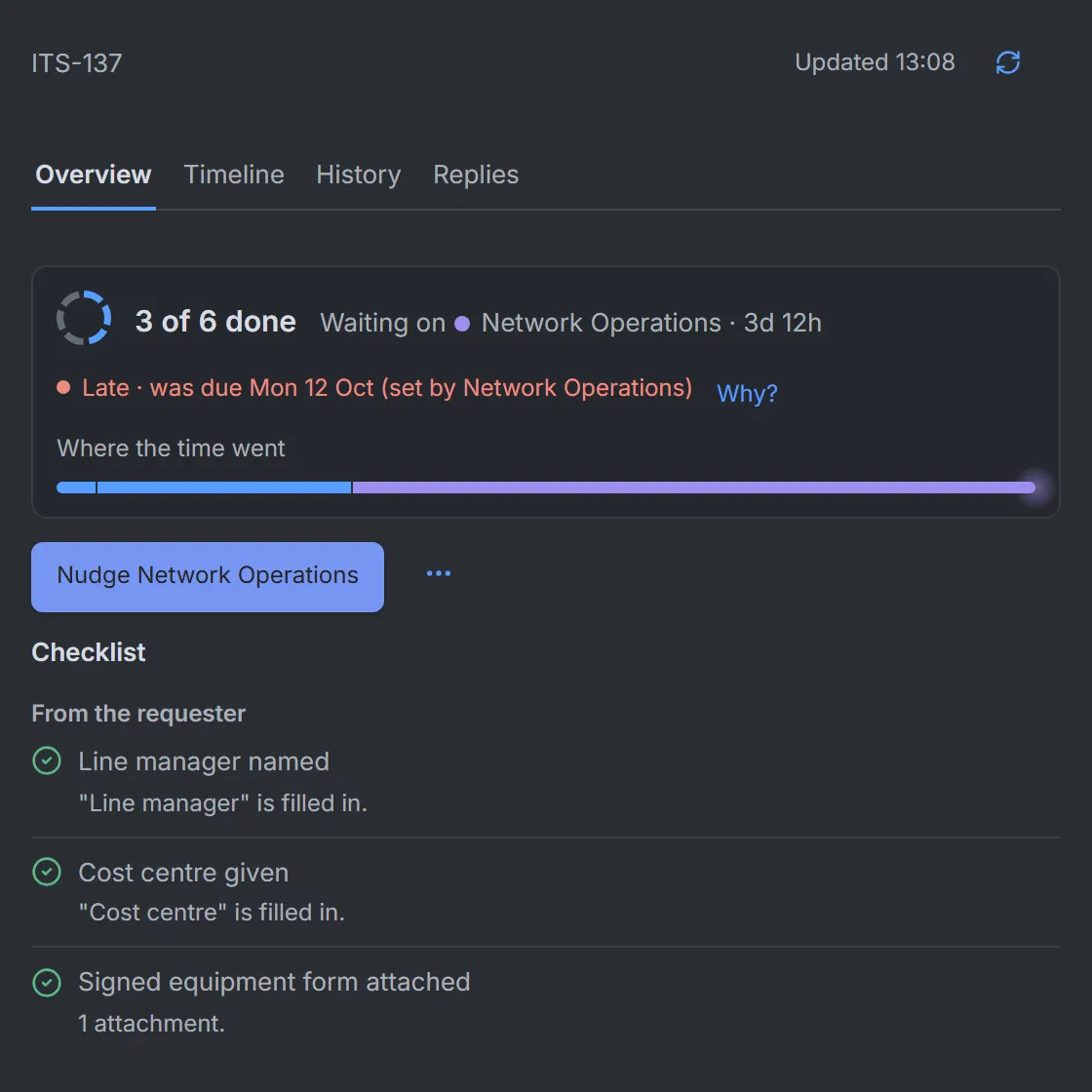
What's left, on every request
The checklist, who has it and where the time went, in the Jira issue.
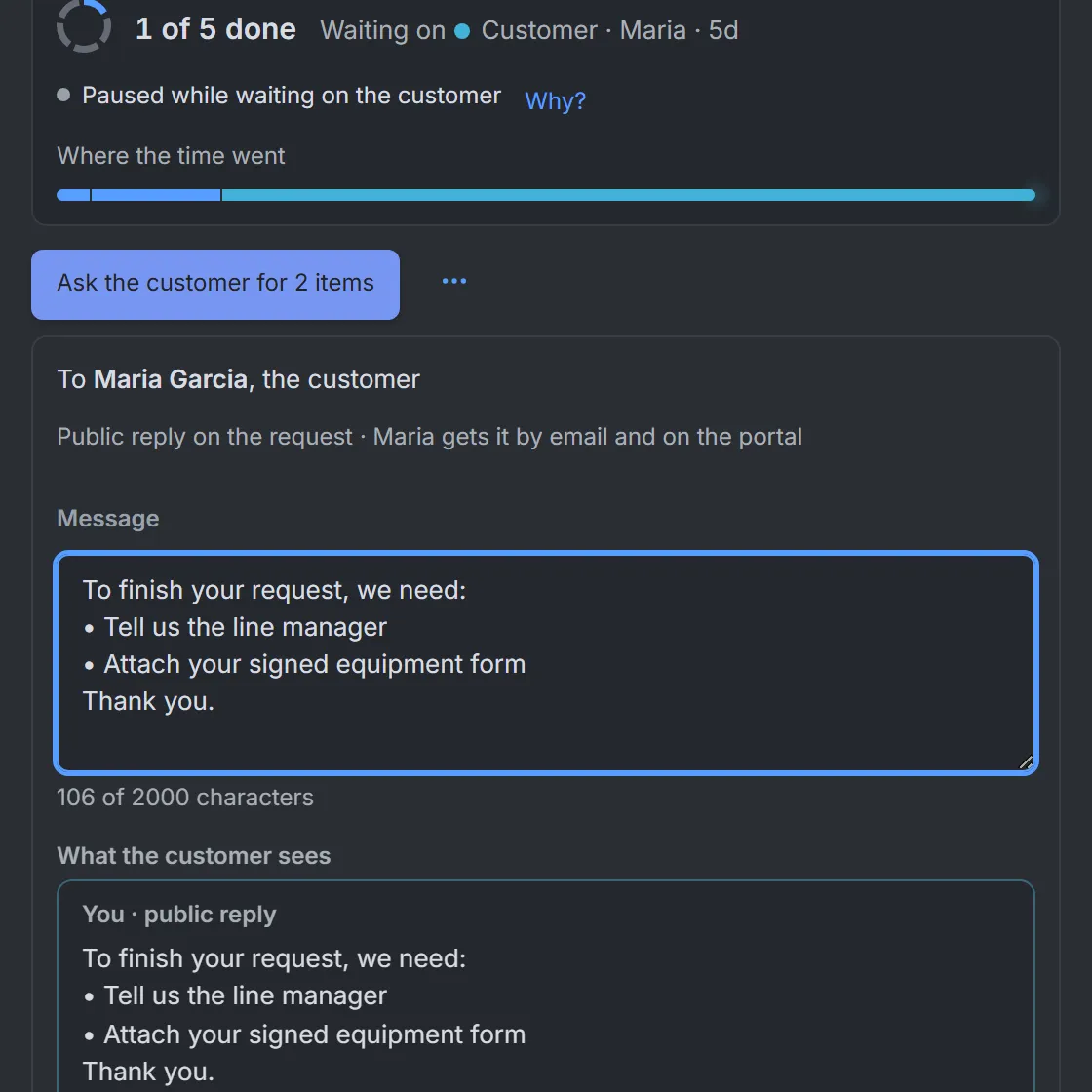
Ask with a preview
Ask the customer for exactly what is missing. See their view first.
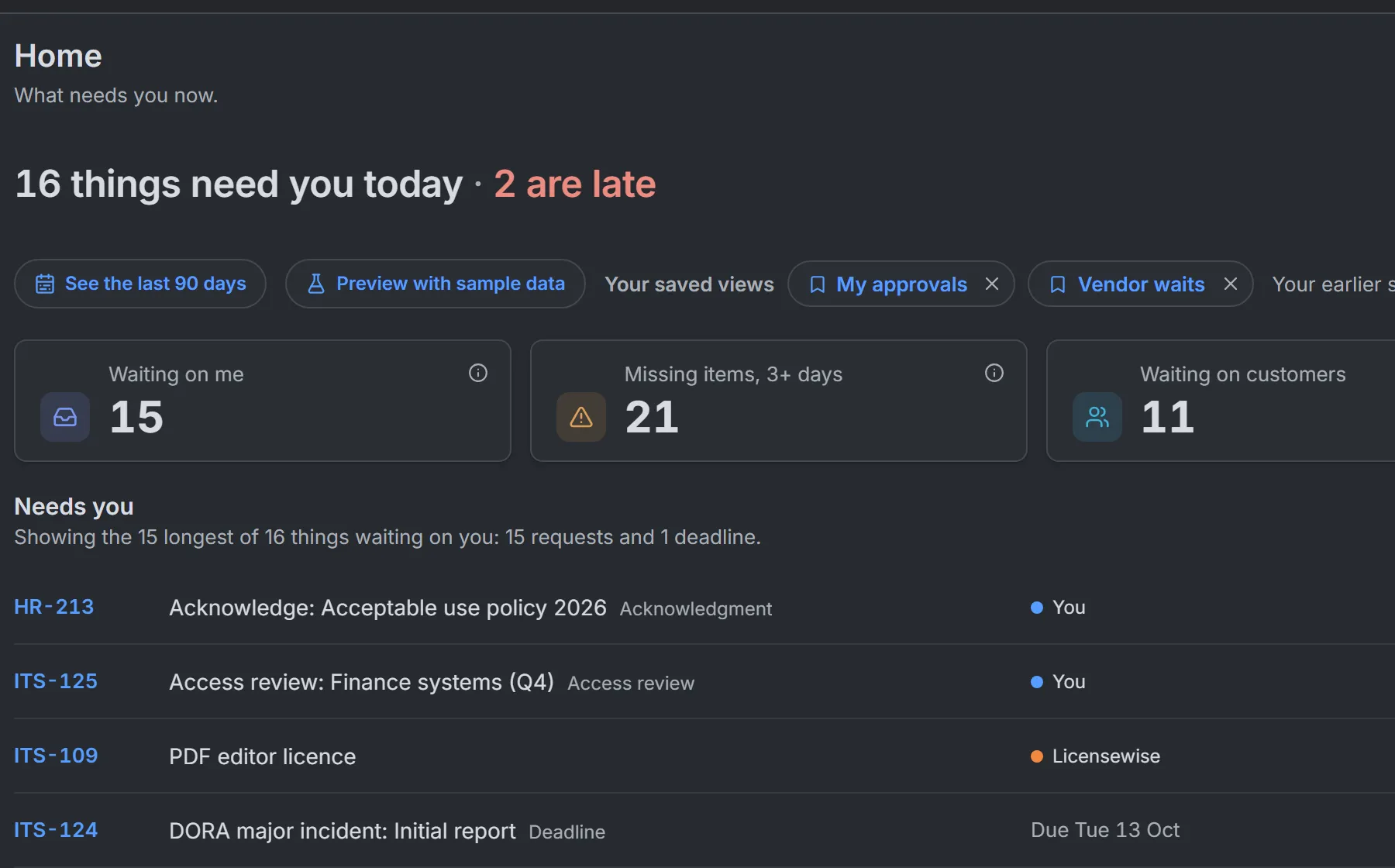
Start on what needs you
Late items, approvals and requests waiting on you, in one list.
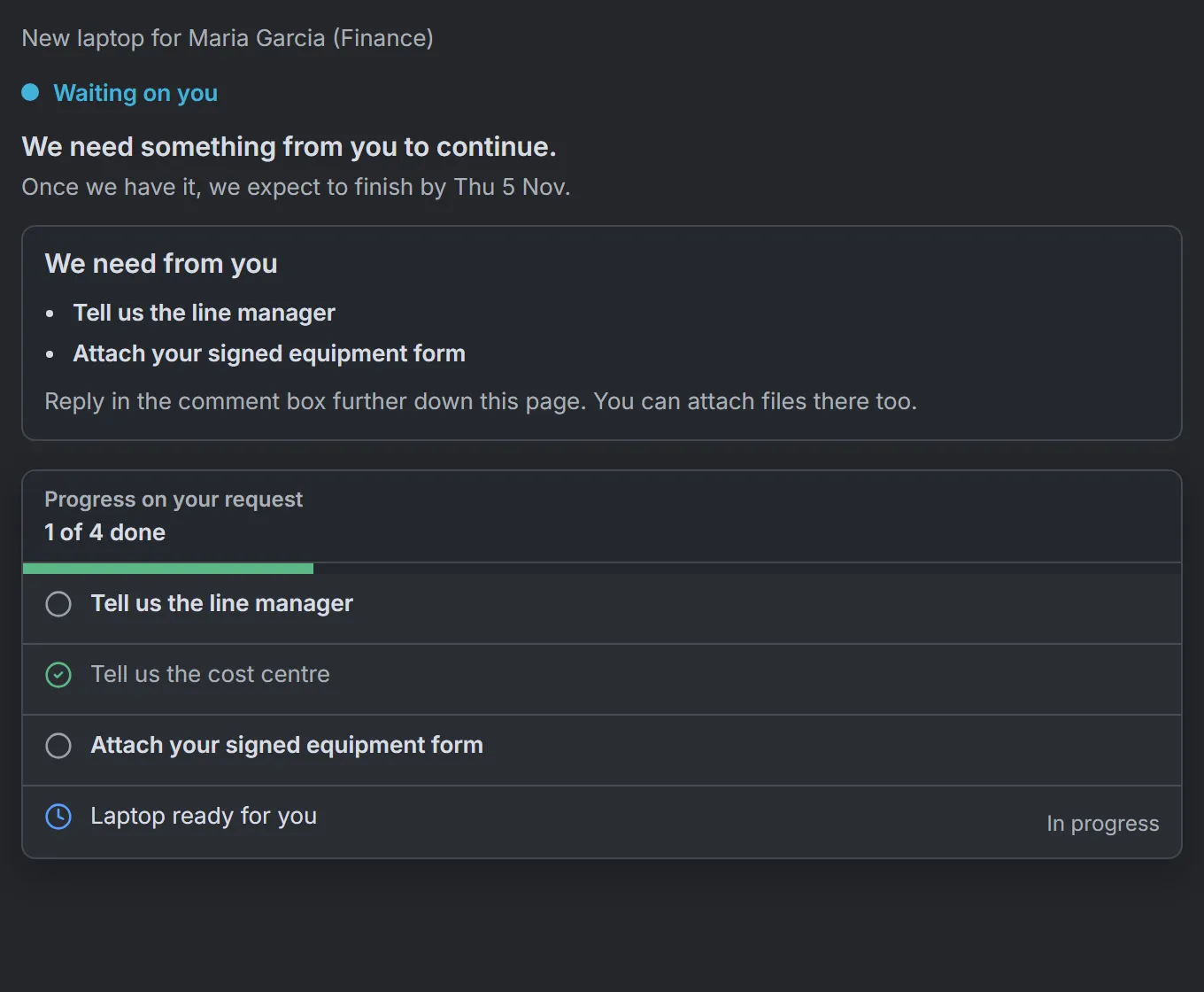
Customers see what you need
Plain words on the portal. Nothing internal.
Free calculator
Waiting is the cost nobody puts on the invoice.
Every request that sits with a customer, an approver, another team or a vendor costs someone time. Put in your own numbers and see what it adds up to in a year.
Work out your cost of waitingExample result
€144,000a year
Your teamWaiting on someone else
200 requests a month, open 3 days on average, 35% of that time waiting on someone else, €10 per hour of waiting.
One request, five days, five parties.
Every hand-over is recorded: to the customer, an approver, a vendor, another team, and back. So when someone asks why it took a week, the answer is already there.
Where the time went so far 81% of this request's time was spent waiting on others.
 Also from Unitlane Apps
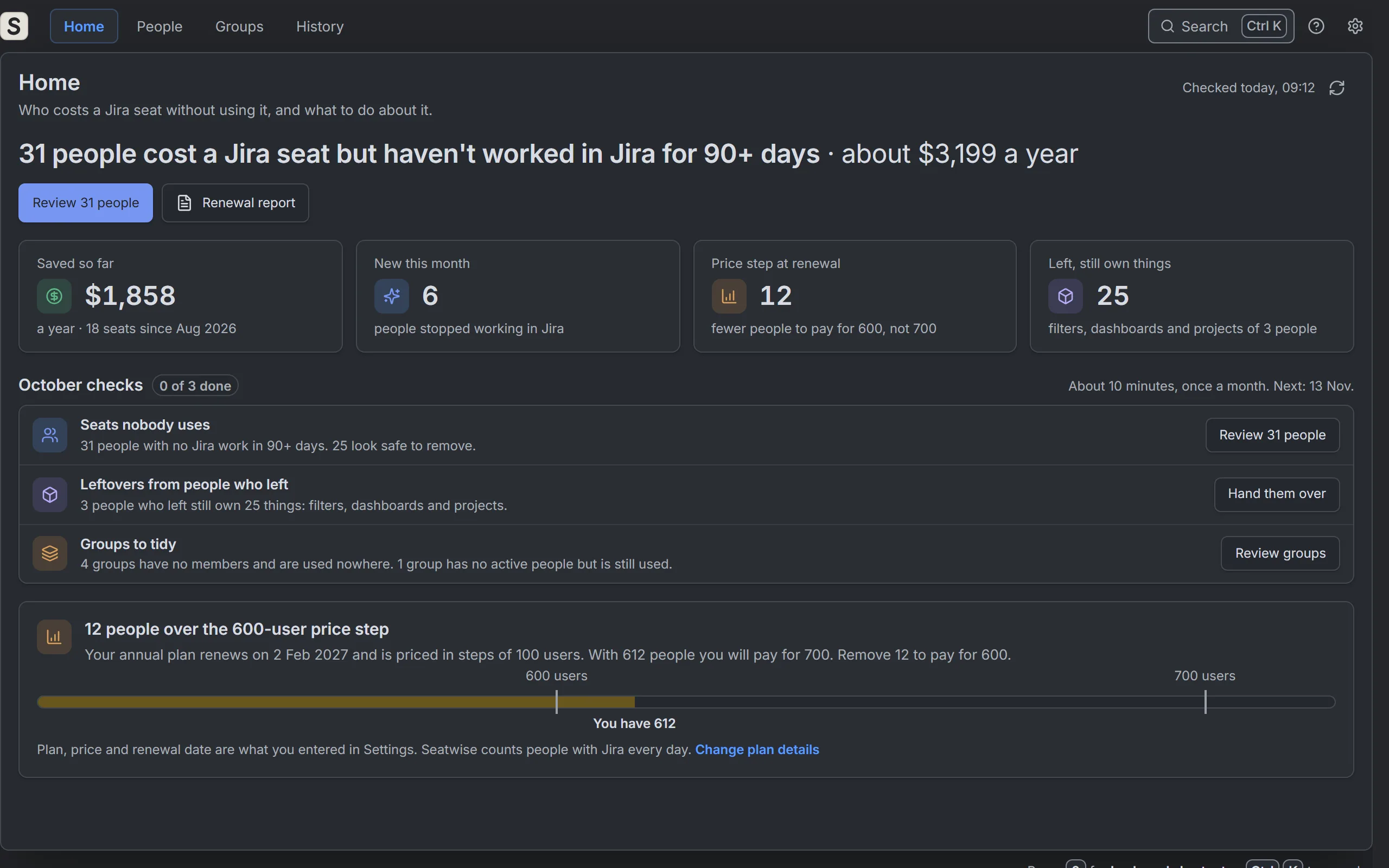
Seatwise finds the Jira seats nobody uses.
See why each person costs a seat and what they still own. Remove seats safely, with Undo for 30 days, and hand over what leavers left behind. No API key needed.
Free up to 10 users · 30-day free trial · On the Atlassian Marketplace
Guides for service desks
What does waiting cost your service desk?
Put in your own numbers and see the yearly cost of waiting on customers, approvers, other teams and vendors.
Open the calculatorWho is this Jira request waiting on? Another team's next step
When a Jira Service Management request is stuck on another team's task, here's how to find who has the next step, nudge them where they work, and follow up.
ReadWaiting time vs SLA time in Jira Service Management
Why a request can take 28 hours but show 4 hours on the SLA clock, and how to read waiting time and SLA time side by side without drawing the wrong conclusion.
ReadCustomer follow-ups and auto-close in Jira Service Management
Set up customer reminders in Jira Service Management that stop when the customer replies, plus a safe auto-close. Step by step with Automation, and an app option.
ReadCustomer follow-up message templates for Jira Service Management
Eight copyable Jira Service Management messages: ask customers for missing details and files, follow up, give a last call, and brief colleagues internally.
ReadMonthly service review for Jira Service Management: agenda and template
Run a 30-minute monthly service review in Jira Service Management: which numbers to use, how to read them honestly, and how to leave with owners and dates.
ReadJSM Automation vs RequestOps for customer follow-ups
Customer follow-ups built with Jira Service Management Automation and with RequestOps, compared on one scenario, including when native is the better choice.
ReadAtlassian unique billable users explained
One person counts once for Atlassian Guard, collections and Enterprise plans, but once per app on Standard and Premium. A worked example reconciles the numbers.
ReadHow to check which groups give Jira access
See which groups give people access to Jira in Atlassian Administration, which of them one person is in, and why one removal may not end their access.
ReadJira billable users explained: who counts and how to check
What makes one person billable for Jira Cloud, who doesn't count, and how to check their access, every group behind it, and when removing it changes the bill.
ReadAtlassian's October 2026 price rise: what it means for your renewal
Old and new Jira Cloud prices from Atlassian's own tables, when the 13 October 2026 rise reaches your bill, and when removing users really lowers it.
ReadHow to find where a Jira group is used
Jira has no single view of where a group is used. Here is every place to check by hand, from permission schemes and space roles to filters and Automation flows.
ReadJira Service Management evidence handoff template
A copyable evidence handoff template for Jira Service Management requests, with a filled offboarding example, clear words for gaps and a readback test.
ReadJira Service Management offboarding checklist for IT and HR
An offboarding checklist for IT and HR in Jira Service Management: who owns each step, where the proof lives, and how to record what nobody could check.
ReadWhy removing a user from a group did not remove Jira access
Taking someone out of one group often leaves Jira access in place, or it comes back. Every reason it survives, how to check each one, and how to confirm.
ReadSuspend vs remove user access in Atlassian
When to suspend, remove, deactivate or delete a user in Atlassian Cloud, and what each does to access, billing, groups, data and the way back.
ReadBuilt on Atlassian. Nothing leaves it.
-
Runs on Atlassian Forge
RequestOps lives inside your Atlassian cloud. No servers of ours, nothing to host.
-
Your data stays in Atlassian
No calls to servers outside Atlassian, no telemetry, no tracking inside the app.
-
Follows Jira permissions
People only see what Jira already lets them see. Customers never see internal names.
-
Support with a reply target
Every email gets a first reply within 1 business day. Monday to Friday, European hours.
Questions before you install? [email protected]

Know who every request is waiting on.
Free up to 10 users. A 30-day free trial for bigger sites. One plan, everything included.