


Seatwise documentation
Step-by-step guides for Jira admins: find unused seats, clean up safely and hand over what leavers own.
Start here
-
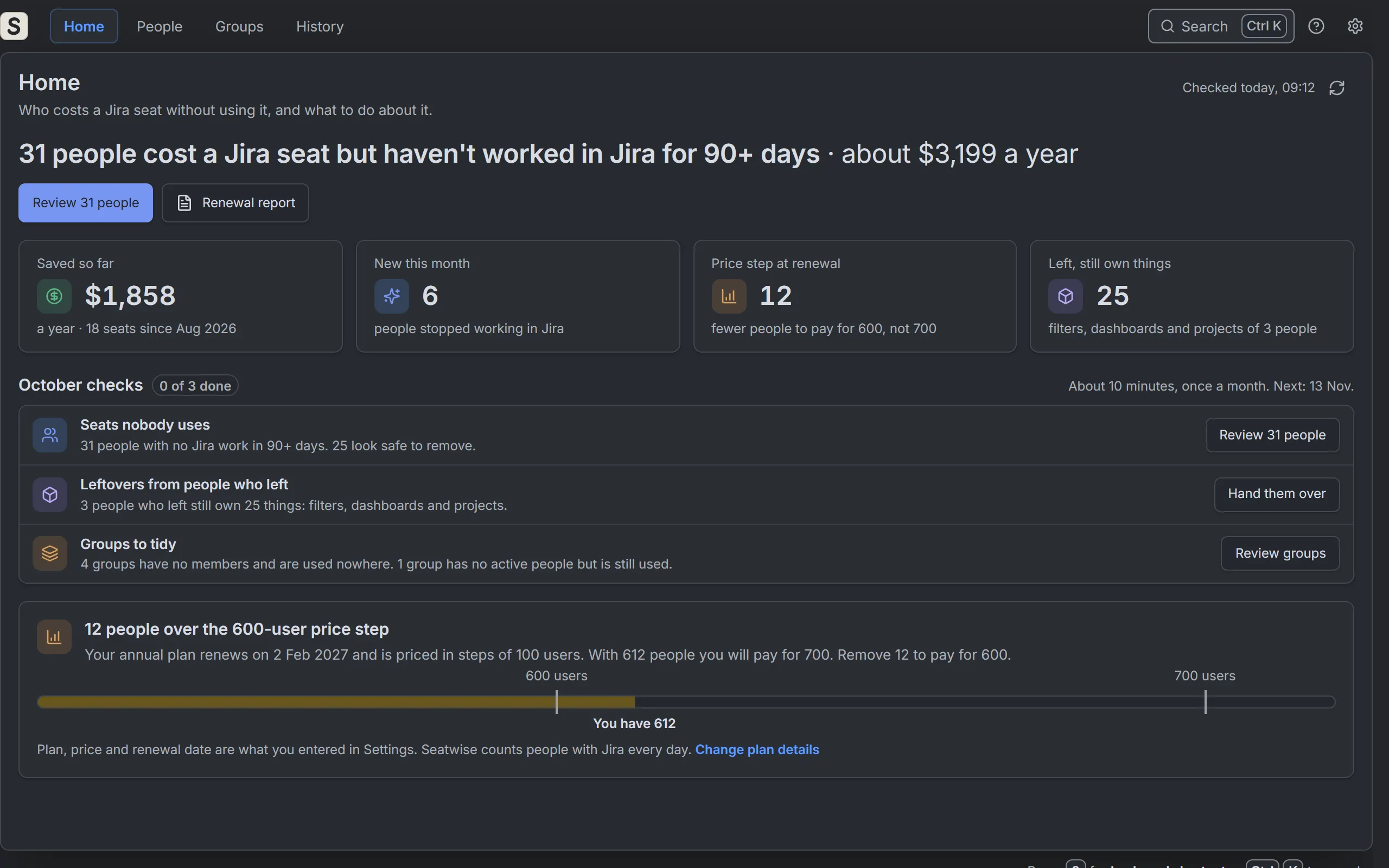 Get started: open Seatwise and check your site Open Seatwise from Jira's settings and run the first check. There is nothing to set up and no API key to create. The check only reads.
 -
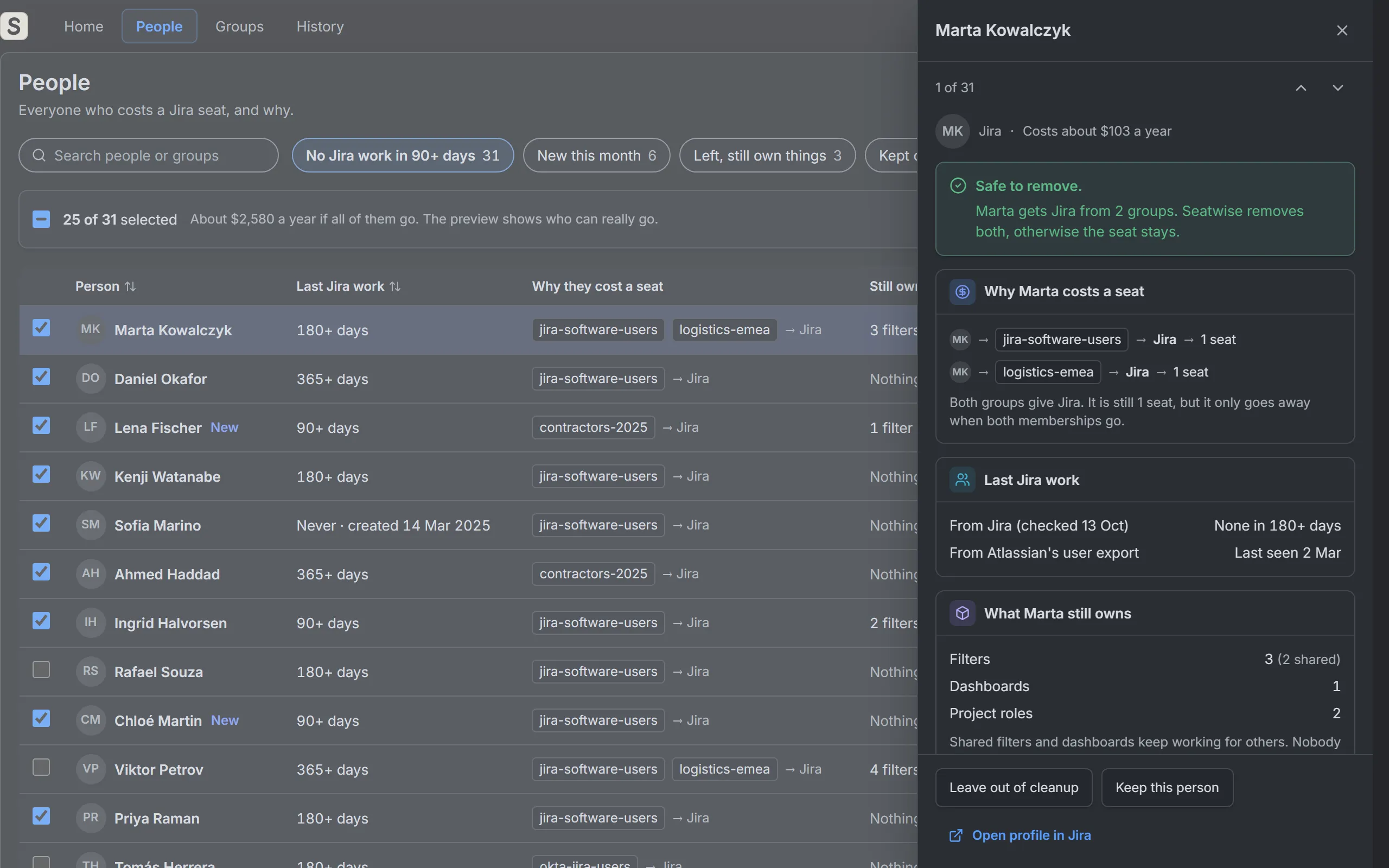 Who costs a seat, and why A Jira seat comes from a group that gives a product. Seatwise shows that chain for every person: person, then group, then product.
 -
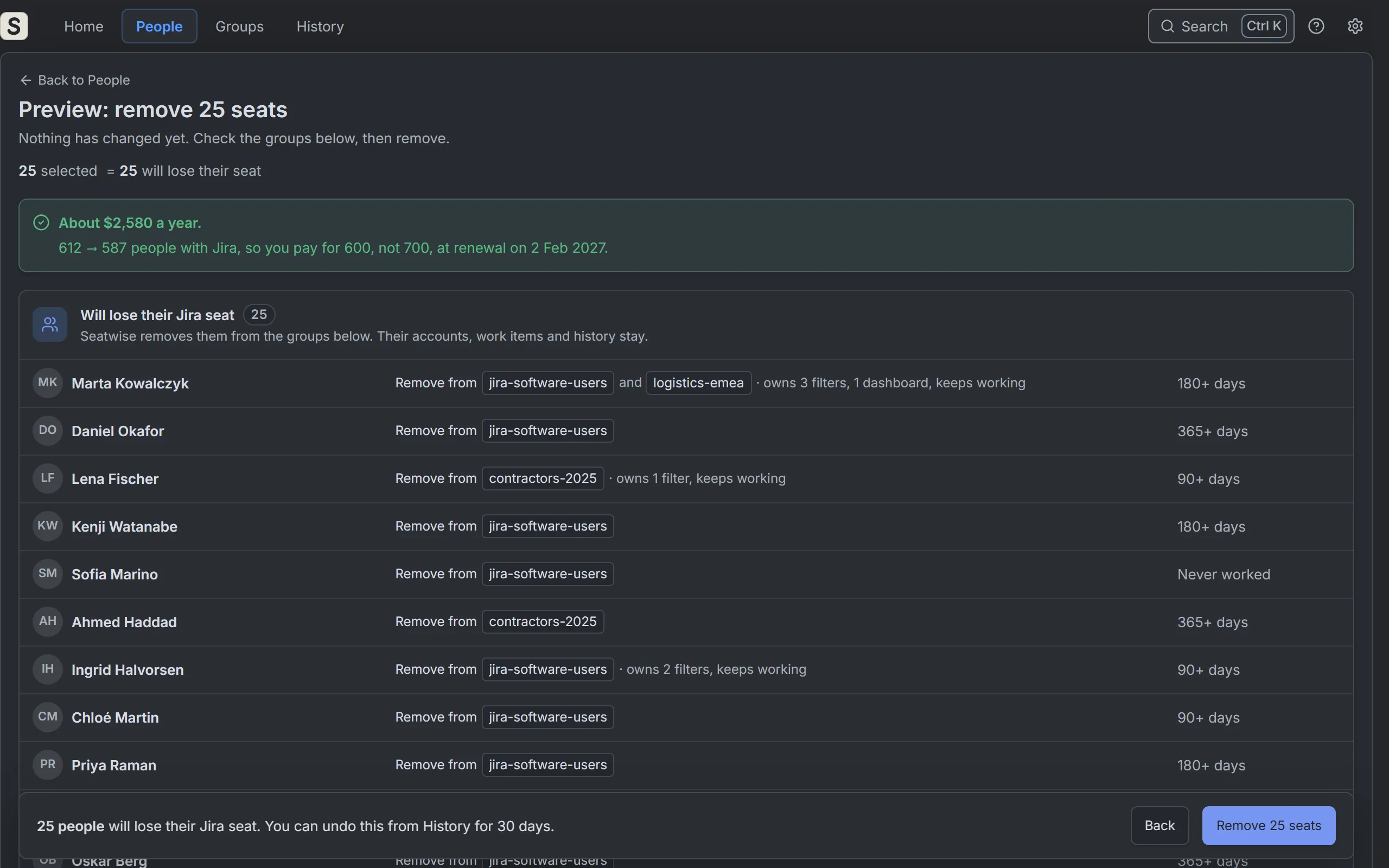 Clean up seats safely Pick people, check the preview, then remove them from the groups that give them Jira. Accounts are never deleted or deactivated.
 -
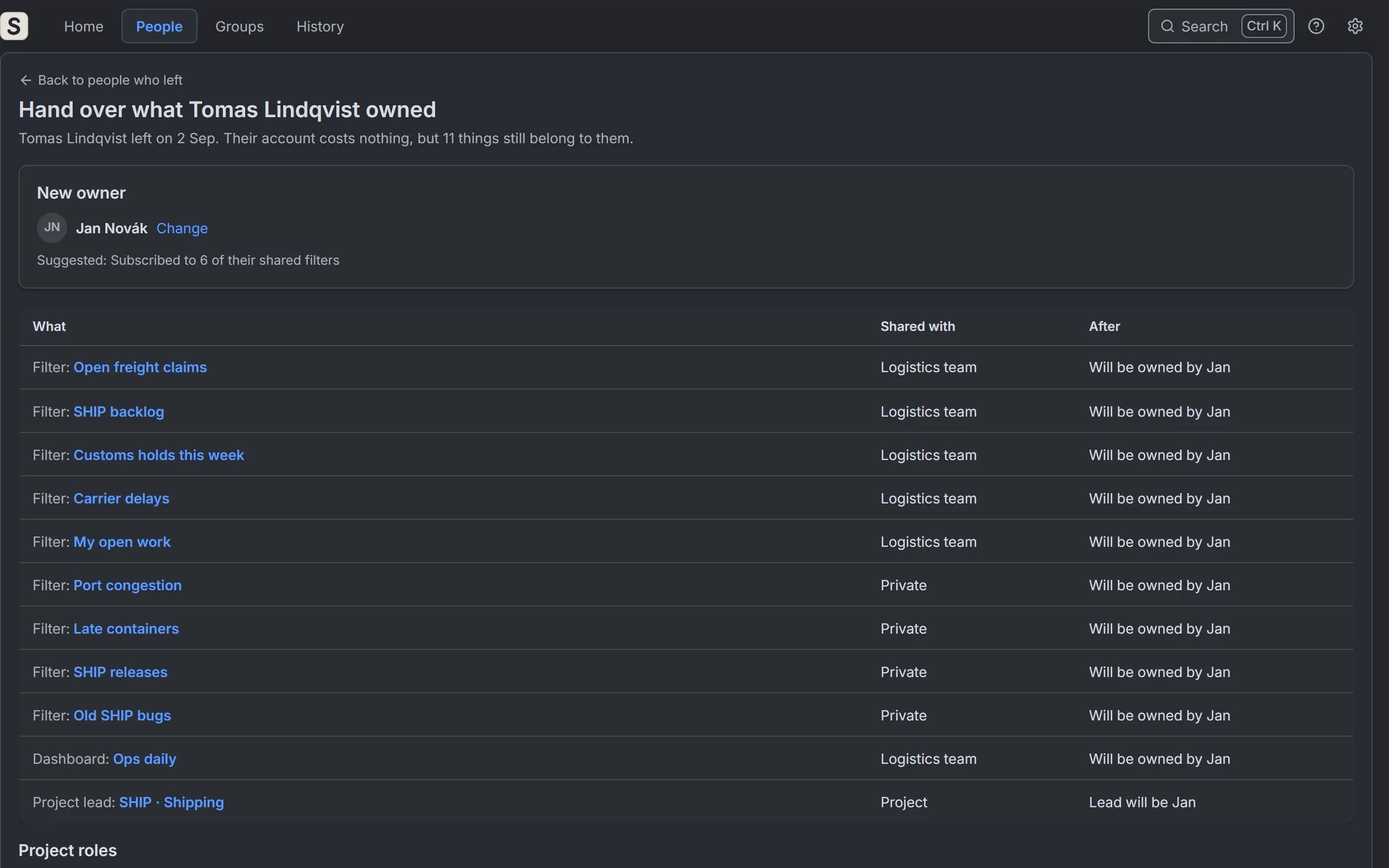 Hand over what leavers own People who left can still own filters, dashboards and projects that others use. Pick a new owner and hand it all over in one click.
Getting started
Open Seatwise, run the first check and read who costs a seat.
Clean up seats
Preview, remove, undo, and keep the people who must stay.
Leavers and groups
Hand over what people who left still own, and see where each group is used.
Plan and reports
Savings, price steps and the one-page renewal report.
Permissions and limits
What Seatwise asks for, what it stores, and what apps can't see.