
Try RequestOps. It's the real app.
RequestOps running with sample data. Take the 30-second tour, or click around yourself.RequestOps running with sample data. Open it and tap around. Nothing is saved or sent.
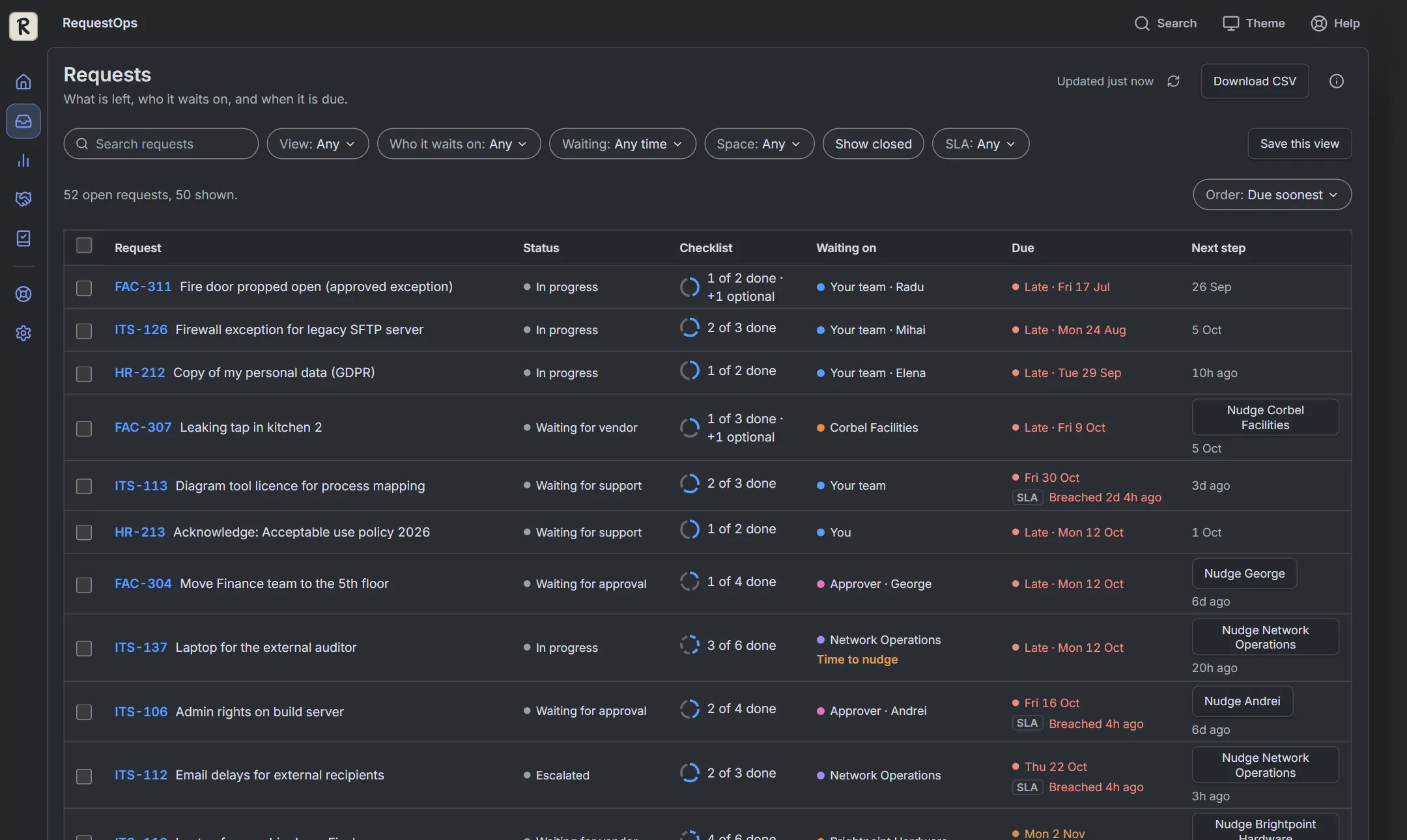
The real app with sample data. Nothing is saved or sent.
Four things to try
- 1
See what's waiting on others
In Requests, set View to "Waiting on others". Every row shows who has it and since when.
- 2
Nudge, then undo
On ITS-137, choose "Nudge Network Operations", read the drafted message, send it, and press Undo.
- 3
Open a request
Click a request key to see what's left: the checklist, the wait and where the time went.
- 4
See where time goes
Open Insights from the left bar, then Waiting: the share of time spent waiting on others, by party.
It is the real RequestOps app, running in your browser with fictional sample requests. Nothing you do here is saved or sent. Inside Jira, RequestOps follows your Jira permissions and your own data.
 Try Seatwise tooFind the Jira seats nobody uses, in a sample site.
Know who every request is waiting on.
Free up to 10 users. A 30-day free trial for bigger sites. One plan, everything included.