
 Bunlings: sprint apps for Jira





“When will the checkout redesign be done?” The question comes from someone with a launch date, and it is about three months of work, not one sprint.
Jira has some answers built in, and a few you can do in ten minutes. Here is what each gives you, and how to get a date you can say out loud.
What does Jira offer for epic and release dates?
Two reports, both for company-managed spaces: the epic burndown and the release burndown.
Both predict how many sprints are left, using your team’s velocity (the work completed in the last three sprints) and the work that remains. Two details from Atlassian’s pages on the epic burndown and the release burndown:
- They show a number of sprints, not a calendar date. The last sprint on the chart is the predicted one.
- They only predict from estimated work items. When many work items have no estimate, the forecast gets unreliable, and the ”% unestimated work items” label turns red above 30%.
Work added during a sprint is left out of the velocity but counted in the work remaining. That is sensible: it means growing scope pushes the finish out.
What the reports do not give you is a range, or a sense of how sure the prediction is. You get one line. If you want to turn that line into something a stakeholder can plan around, a by-hand method works well.
How do you forecast a date by hand?
Three steps.
- Count the work left. Use a filter. For an epic:
parent = ABC-12 AND statusCategory != Done. For a release:fixVersion = "Spring release" AND statusCategory != Done. Count the results, or total their estimates. - Find a fast and a slow week. From the last six to ten weeks of finished work, take the best and the worst typical week, leaving out holidays and fires, and say that you did.
- Divide twice. Work left, divided by the fast week, then by the slow week.
A made-up epic: 46 points left. The team finishes 14 to 26 points a week on this kind of work.
| Pace | Weeks |
|---|---|
| Fast week, 26 points | 46 / 26 = about 2 |
| Slow week, 14 points | 46 / 14 = about 3.3 |
“Two to four weeks” is a much better thing to tell a launch manager than “three”.
Then add growth. Epics grow: someone finds a missing case, a bug turns up in review. Look at an epic that finished recently and see how much it grew from the first estimate. If it was 15 percent, add 15 percent to the work left before you divide.
What goes wrong?
- Pace is not the whole team’s. An epic may only get two fifths of the team’s output. Use the share the epic really gets, not total velocity.
- Unestimated work items count as zero in a points total. Count items instead, or give them a usual size.
- Dates are not stable. A date you give once and forget goes stale. Check it when the work left changes.
- A single date sounds like a promise. Quote the range, and the day by which you are about 80 percent sure.
For boards with no sprints, Kanban forecasting without story points covers the same idea week by week.
How does Bunlings Sprint Forecast give dates?
Bunlings Sprint Forecast is a Jira app that puts a likely finish date on epics, releases and saved filters. Choose When will it be done? in the sprint screen, or open a board without sprints, where dates are what you see.
Each row reads like “Likely done by the week of Mon, Jan 4, 8 in 10 chance”, and a target date from Jira, if the epic has one, sits underneath with “Still likely” or “Too close to call”.
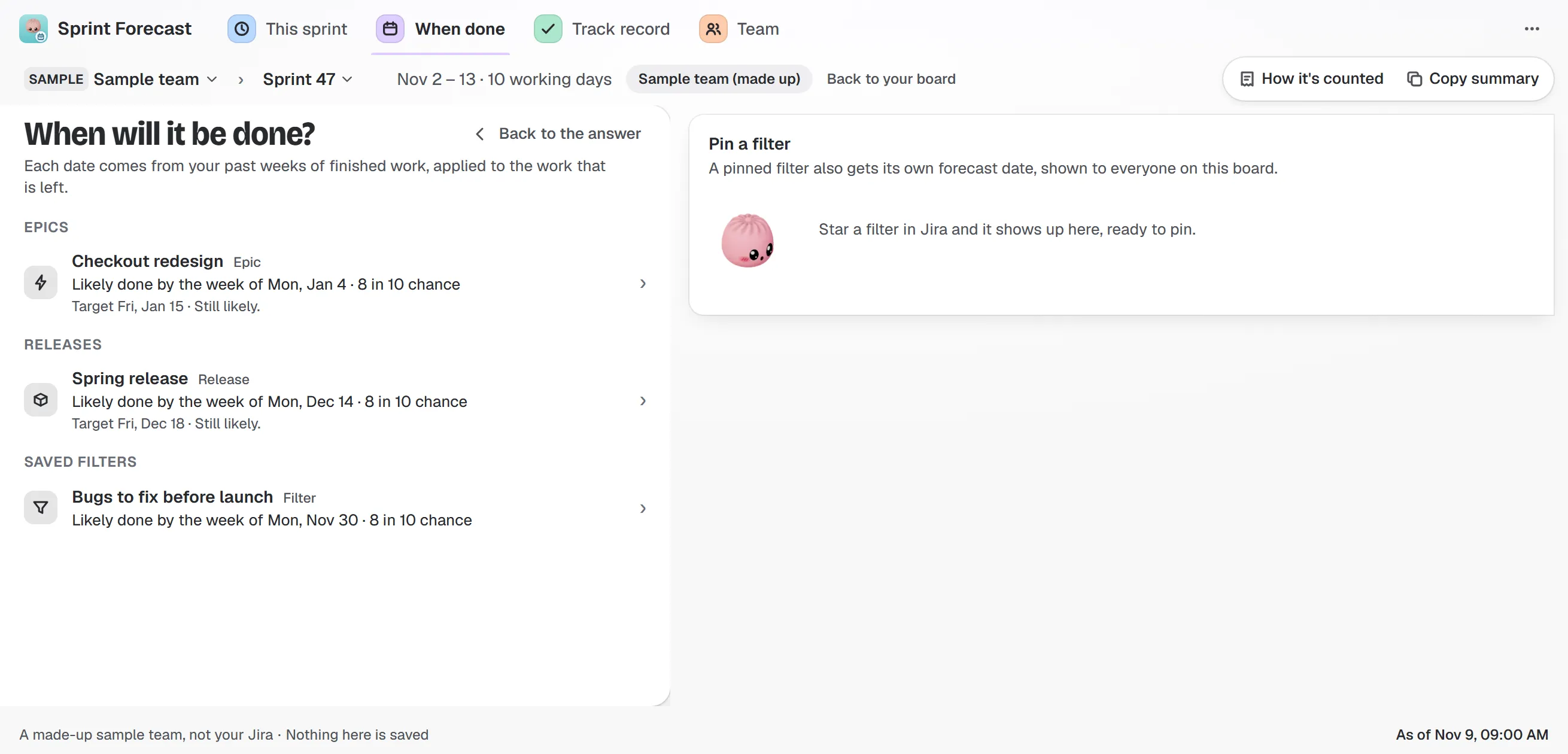
Sample team and sample data. A target date from Jira is checked against the forecast, and the answer sits under the row.
Open a row and you see how it was worked out: 20 past stretches of your own history, replayed on the work that is left. A chart beside the answer draws each of those runs as a line, a real run of weeks from your past. The page also shows how much work like this usually grows, with a switch to count it or not, so you can see the date both ways.
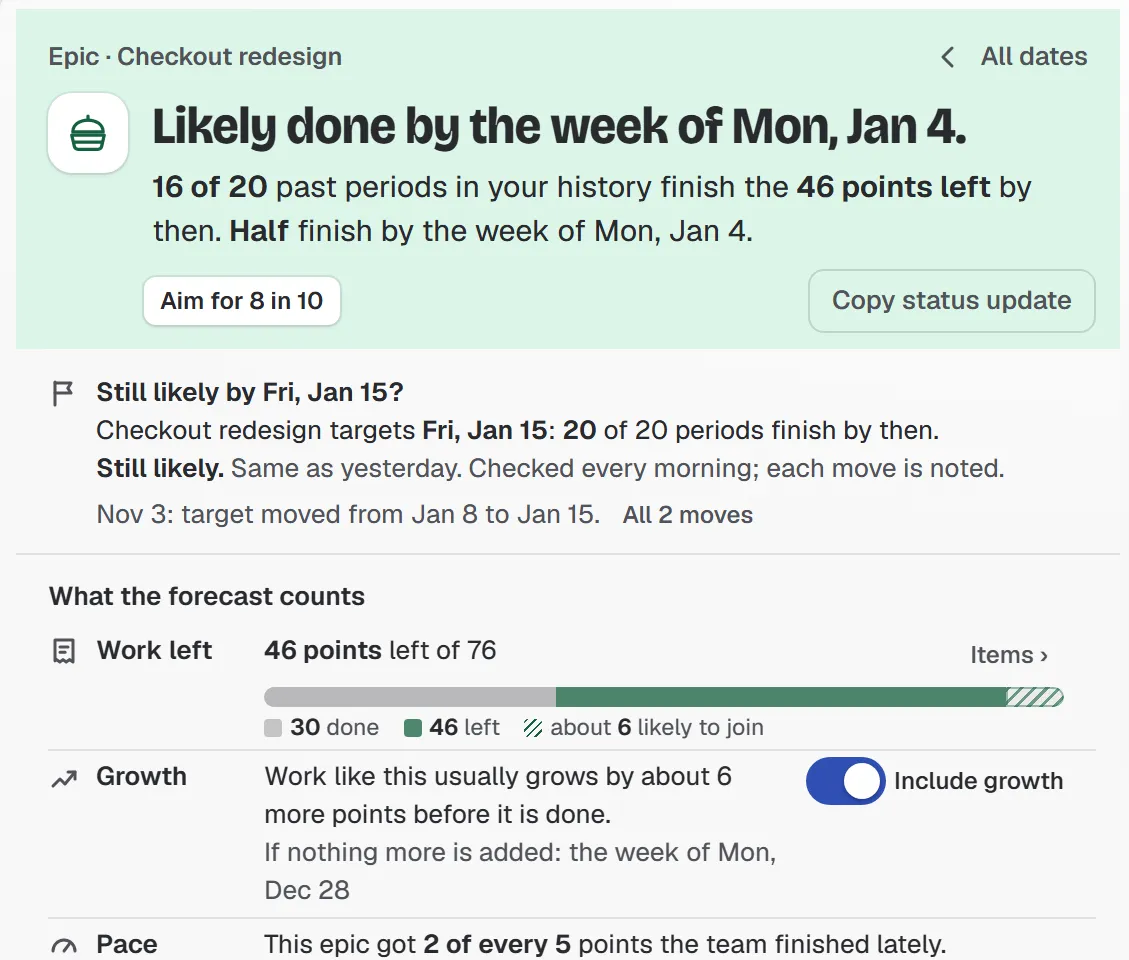
Sample team and sample data. Work left, how much work like this usually grows, and what share of the team’s pace this epic gets.
“By a date” turns the question around: pick a date and read how much of the work left is likely done by then. “Copy status update” gives you a sentence for your status report that ends with “not a promise”.
On a Kanban board, which has no sprints to fit, the page shows dates based on the last weeks of finished work.
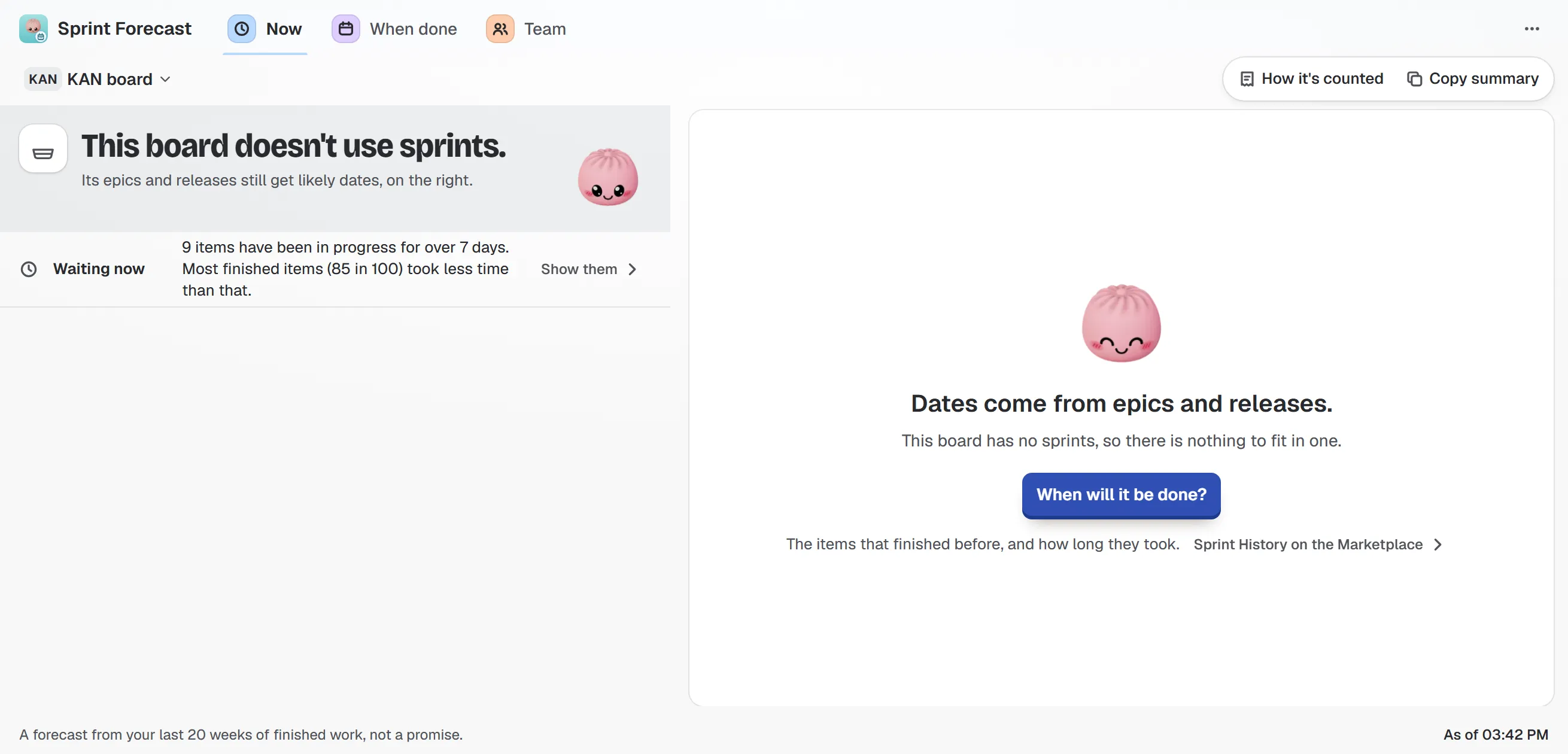
Sample Kanban board. Without sprints, the dates come from the last weeks of finished work.
The app reads your board and writes nothing back to Jira. Dates for epics, releases and saved filters are in the full Sprint Forecast; the free edition covers one board’s sprint answer. The guide to dates lists every field on the page.
For the sprint-sized version of this question, read Will we finish the sprint?