Estimation and retros your team will actually enjoy.
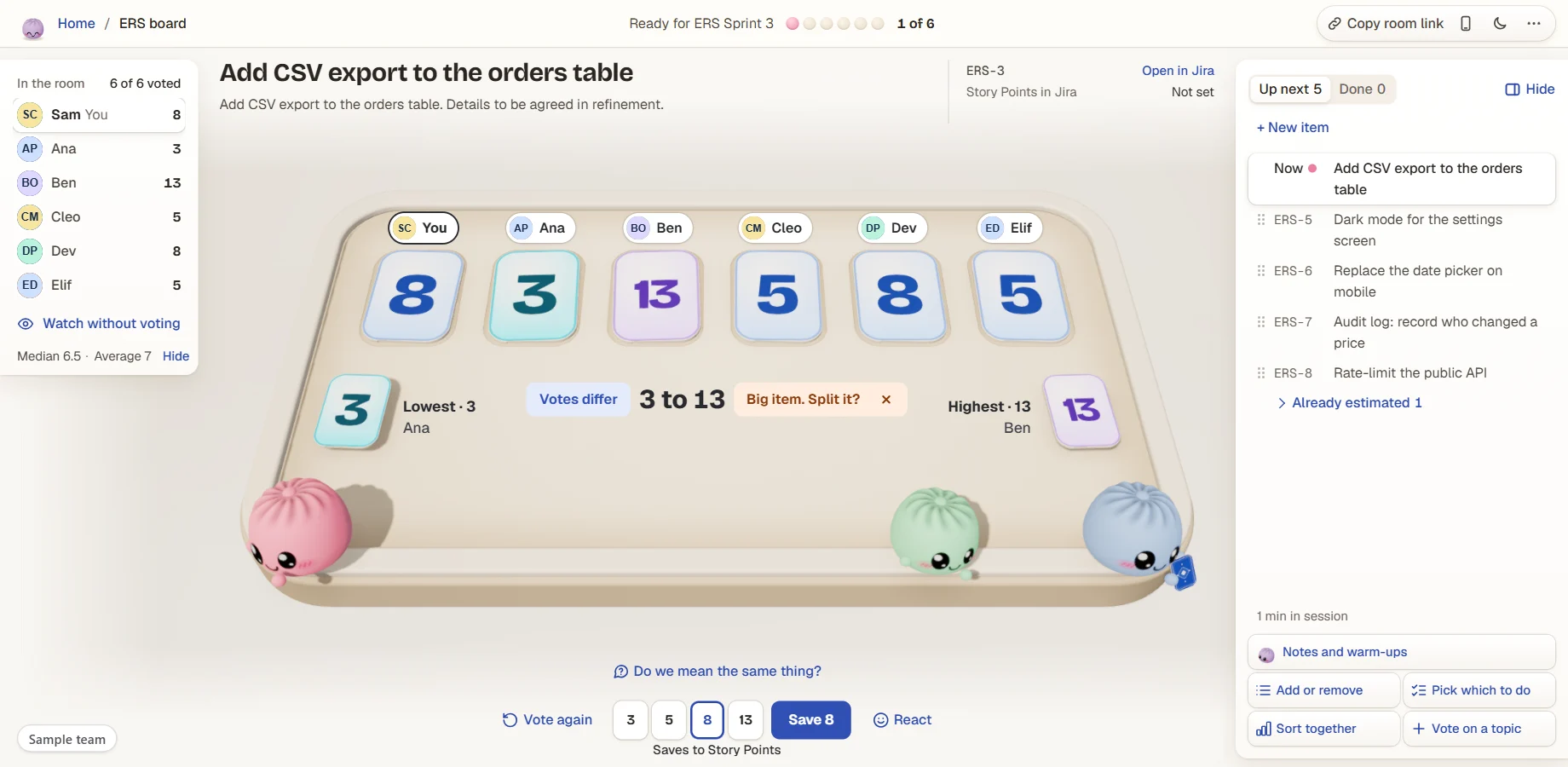
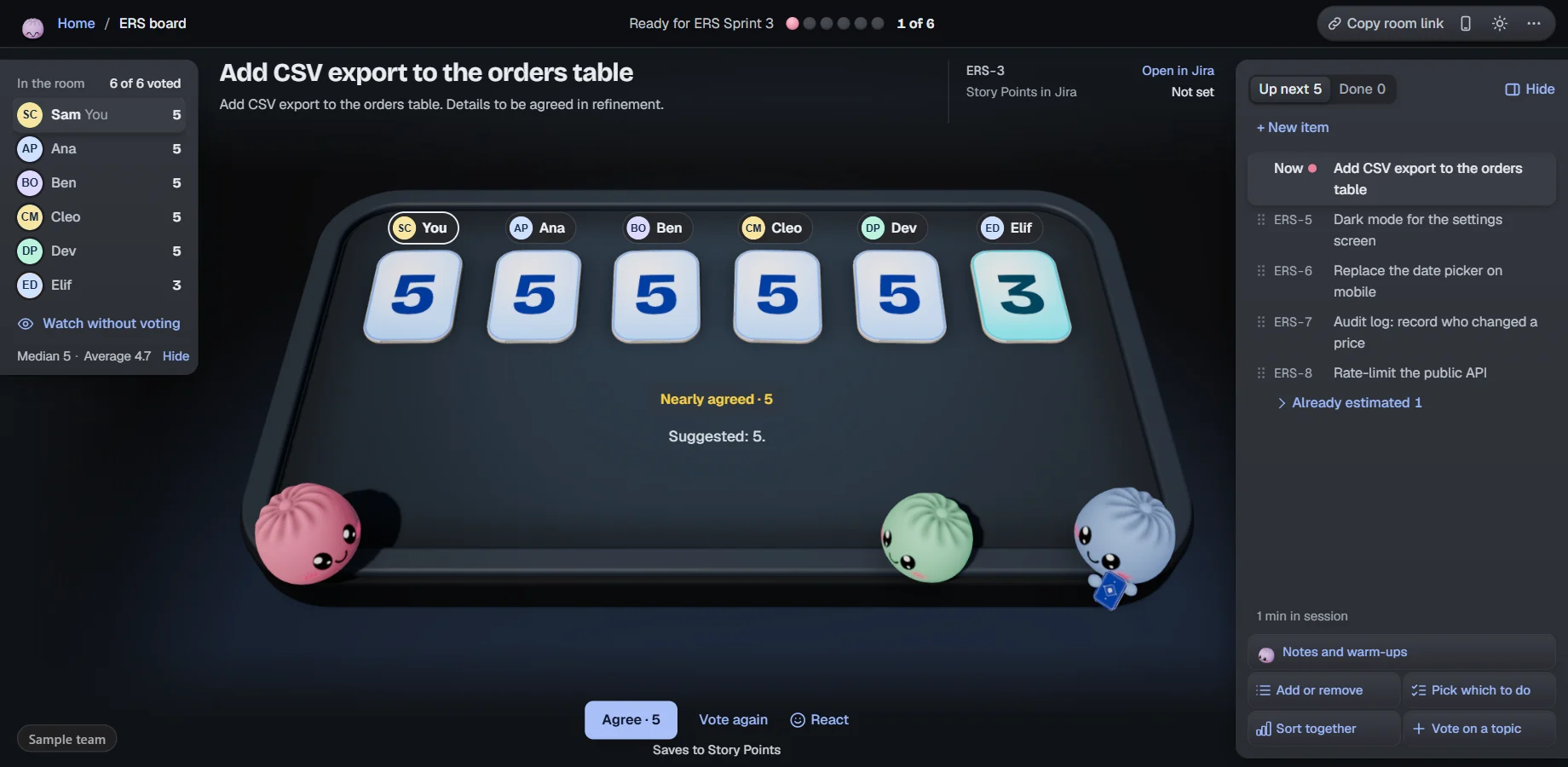
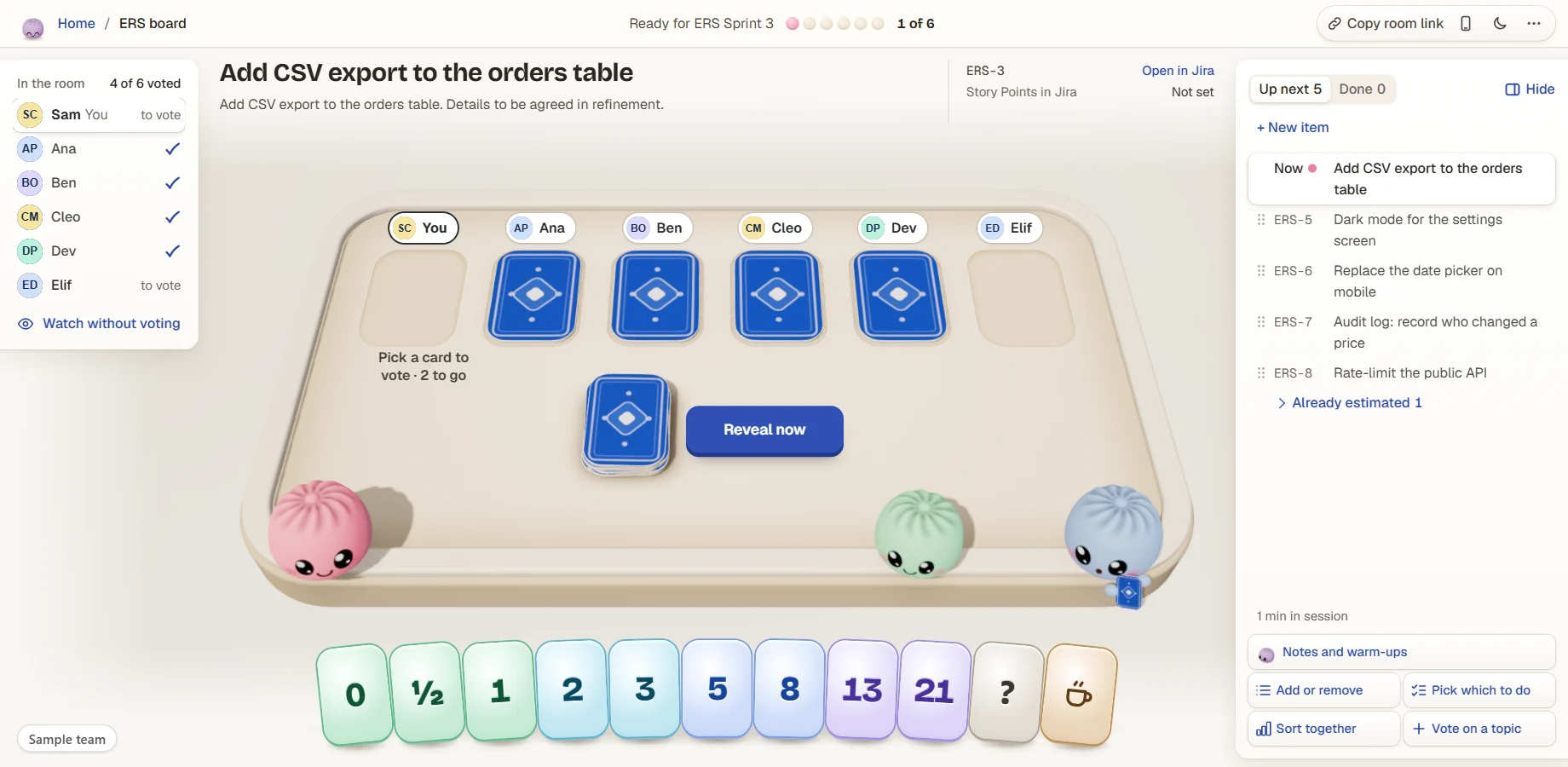
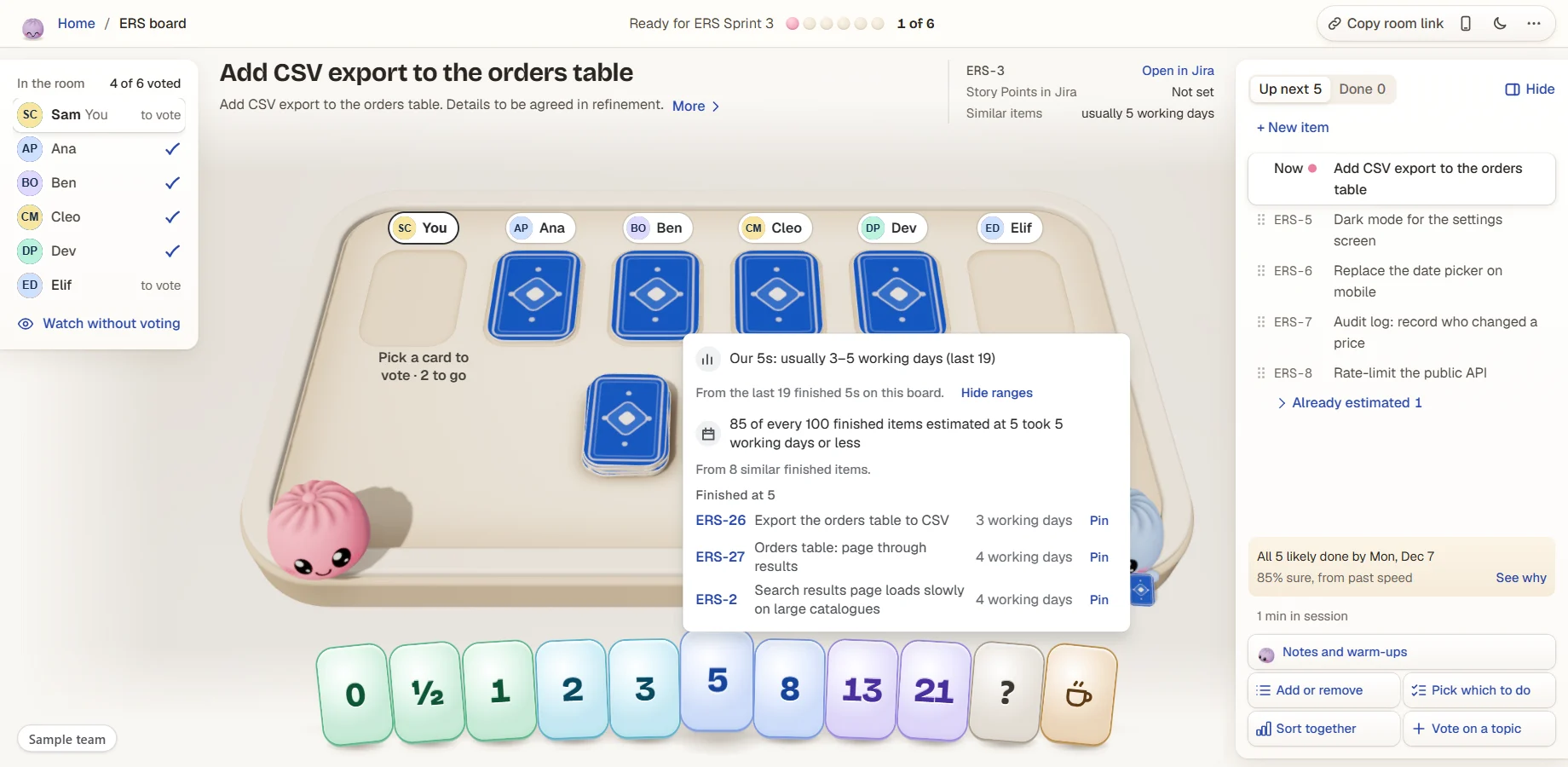
Your board already has a room. Cards flip together, Agree saves straight to Jira, and the cards remember what your 5s really took. No outside servers, no new login.
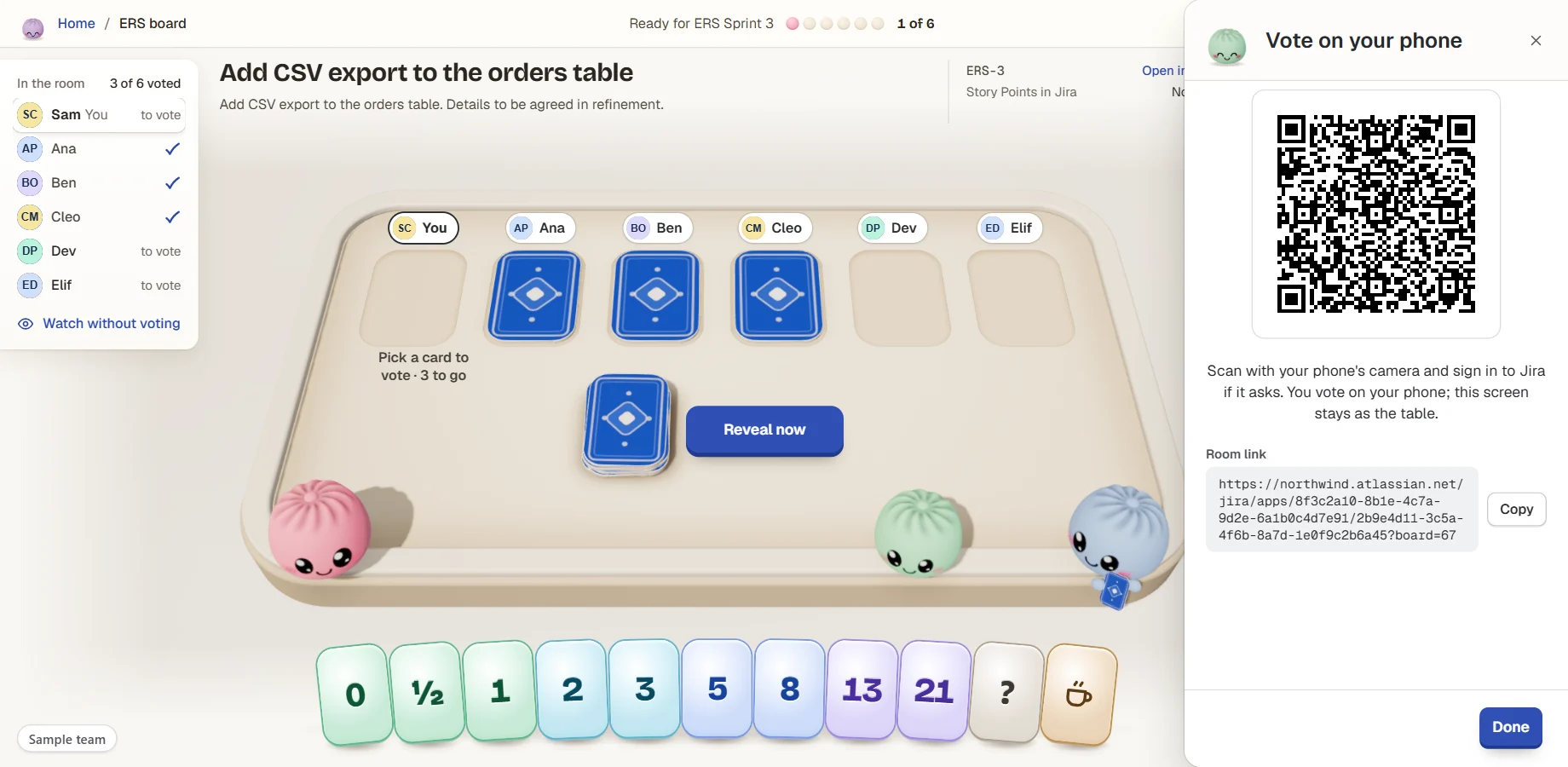
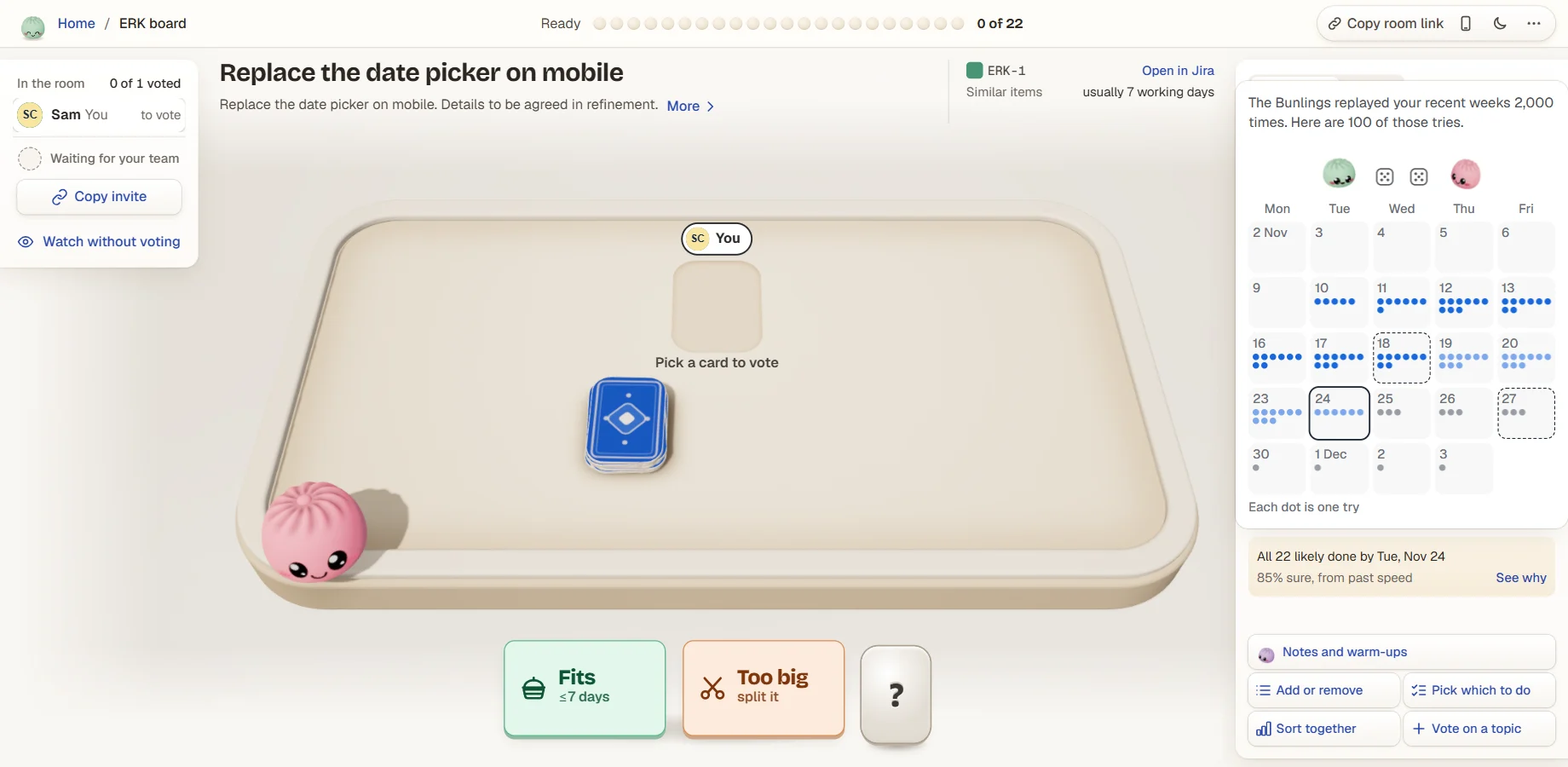
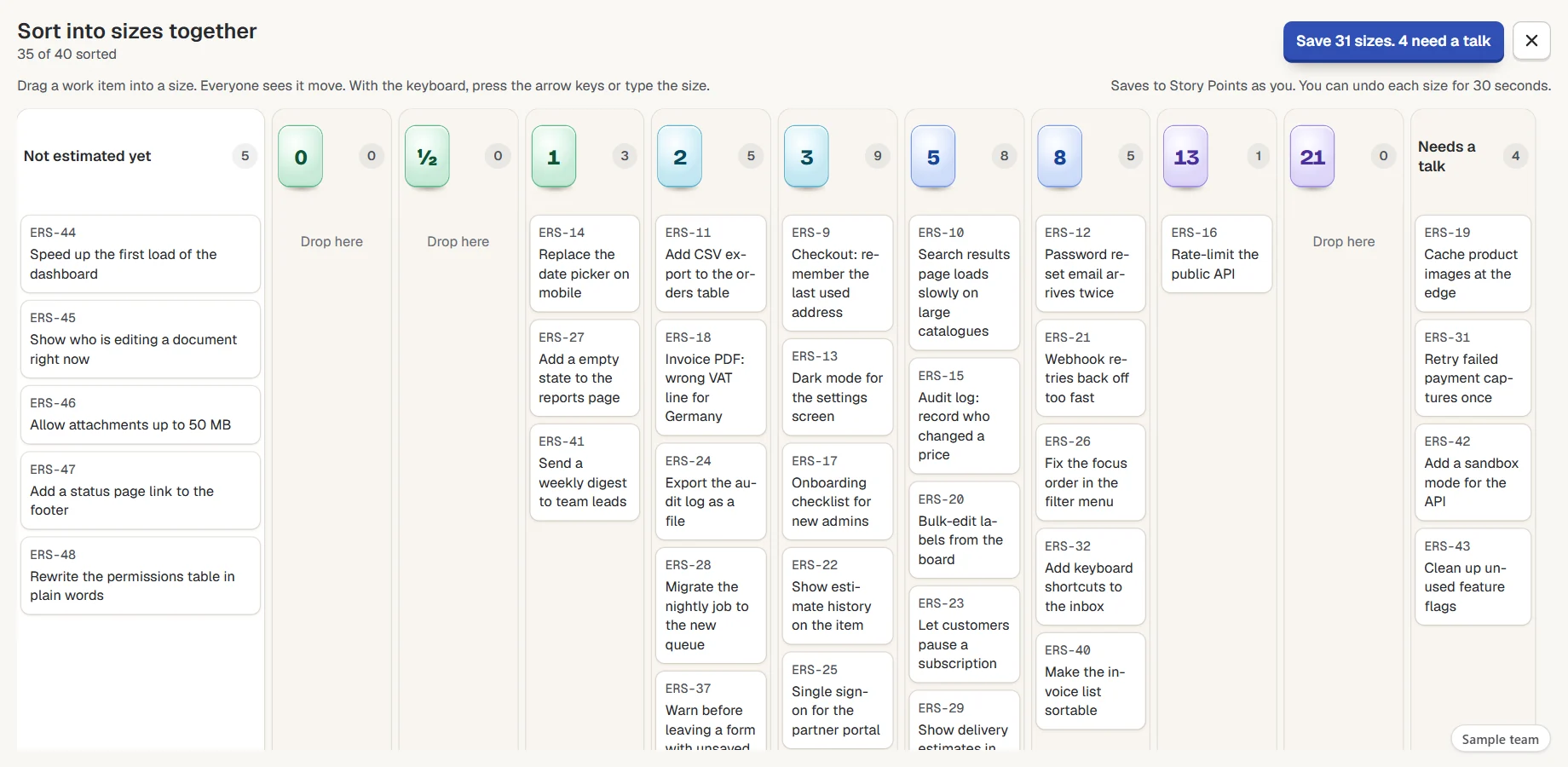
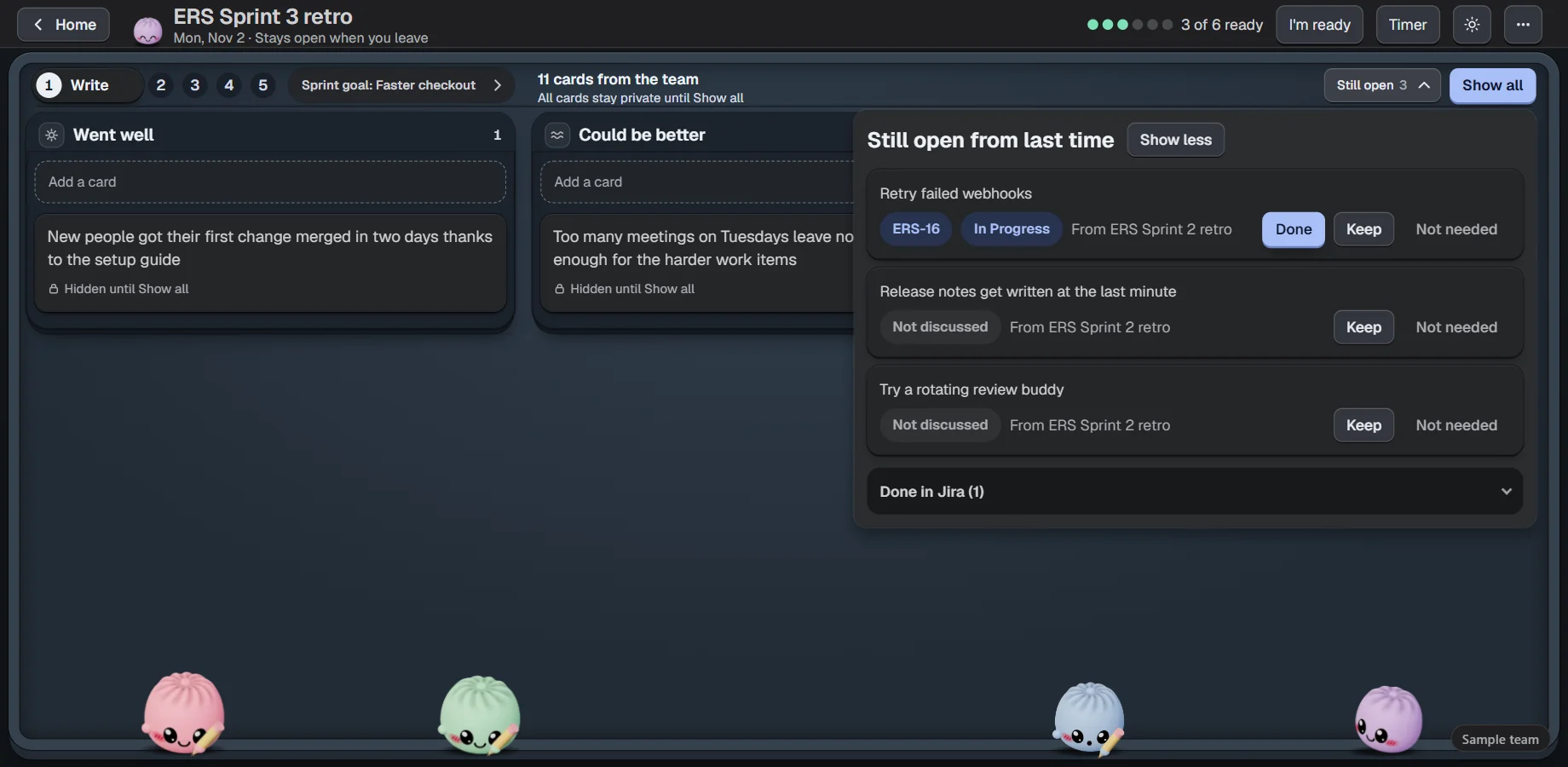
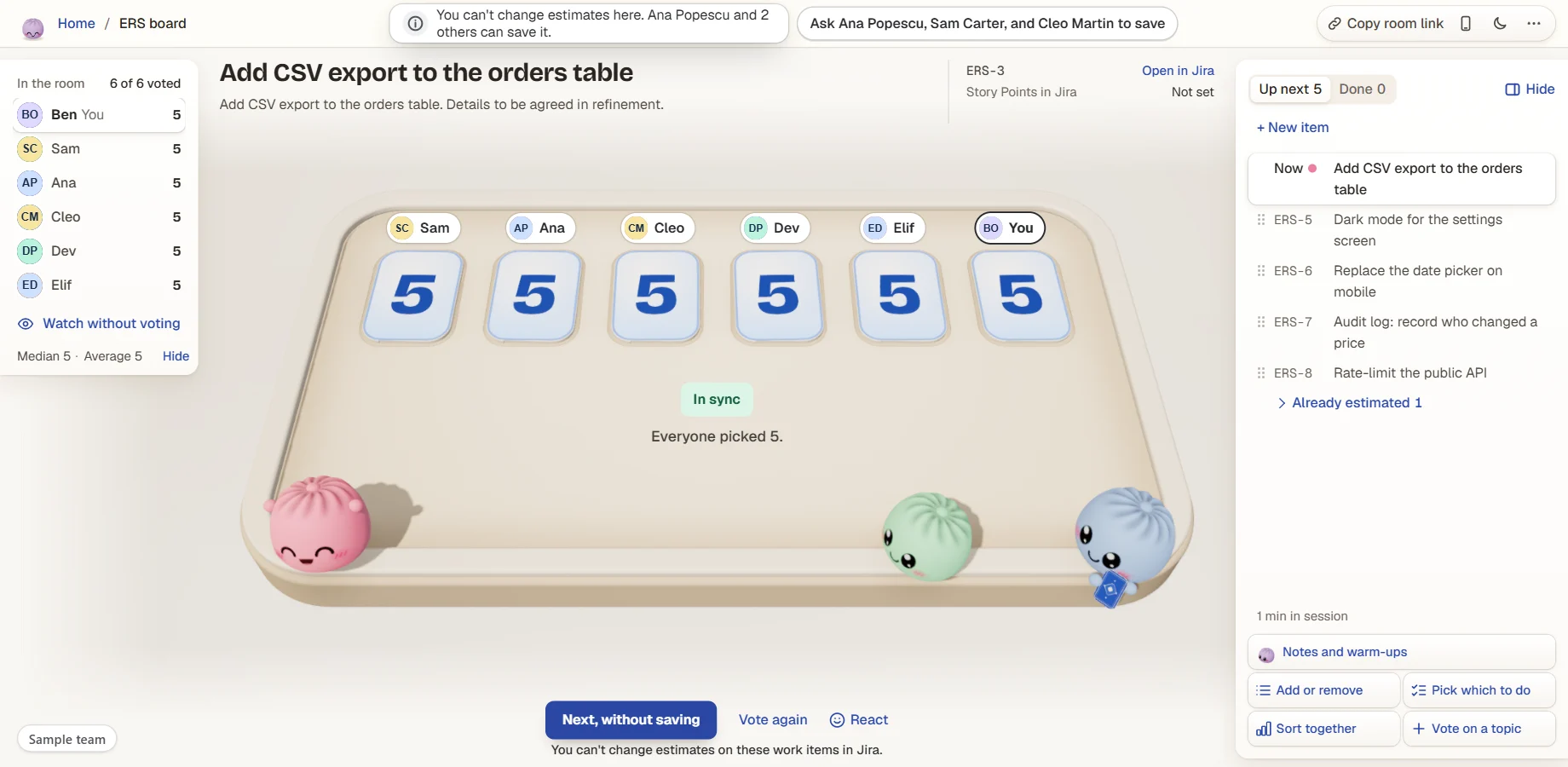
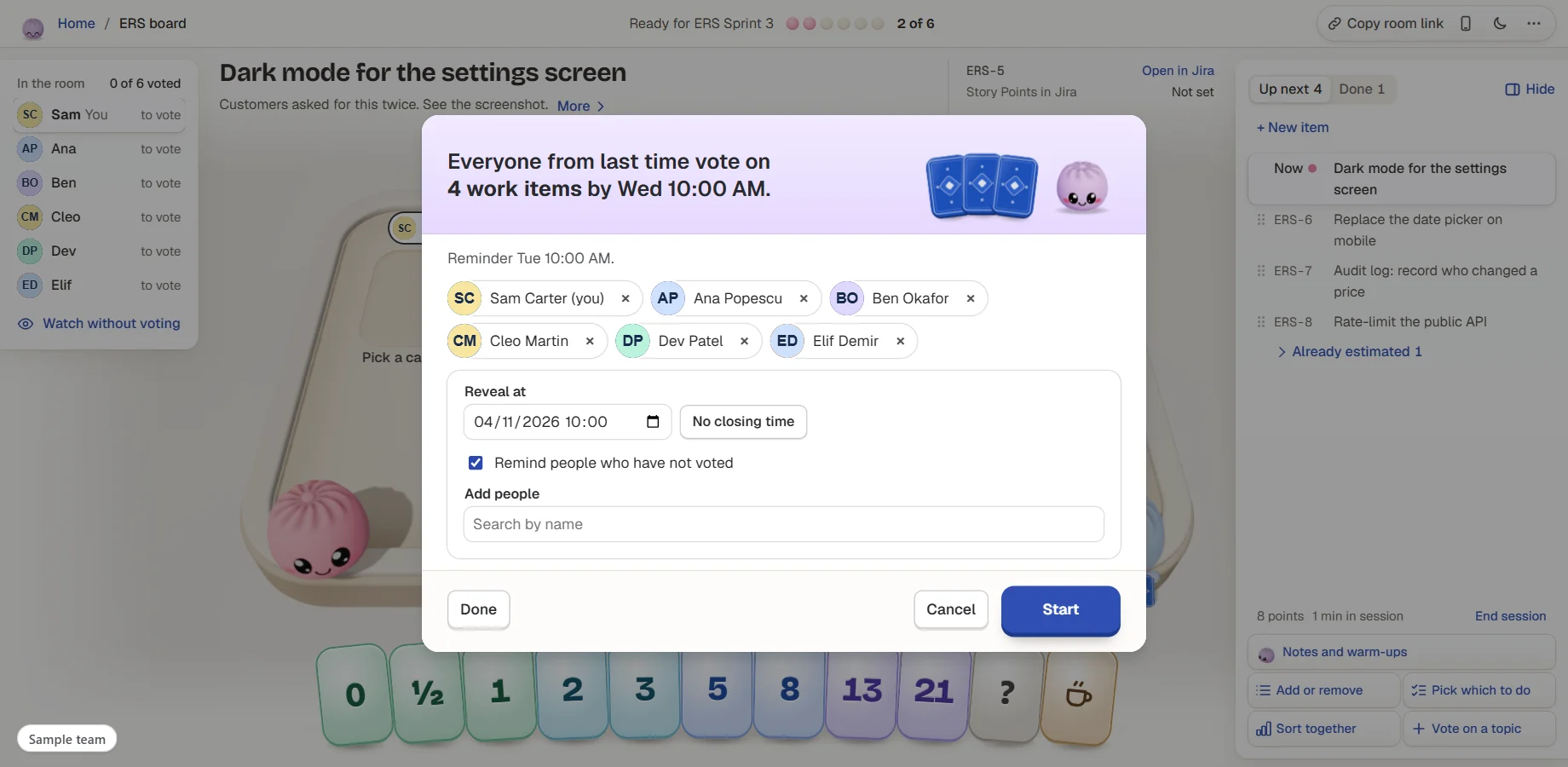
Big screen, phone votesPut the table on the meeting-room screen, and everyone votes by phone from a QR code.Kanban tooVote Fits or Too big, and get a likely finish date from your own recent weeks.Sort by size togetherSize a big backlog in one sitting. Save what's settled, and talk about the rest.Retros that follow upCards stay hidden until someone presses Show all. Actions become work items in two clicks, and open ones come back next time.Ask someone to saveCan't edit estimates on a work item? Ask a teammate who can, and they see it in the room.Dark mode, 10 languagesFollows your Jira theme, or pick light or dark. The whole app in ten languages.
The fun part
Meetings people look forward to.
The little things that make a team smile. Each person can turn them down, and admins can start everyone calm.
🥟
Bunlings with moods
Thirteen moods: they peek, count along, hold their breath and dance when you agree. Poke one and it giggles.
😄
Reactions, emoji and stickers
React when the cards open, with emoji or about 100 stickers like High five, Nailed it and Split it.
🖼️
Make a meme
Twenty templates with kind captions you can edit, sent to the table as a reaction.
🔮
Guess a past estimate
A warm-up from finished work: everyone guesses, then see what it really took and what you agreed back then.
☕
Coffee card and nudges
Play the coffee card when you need a break, and give a quiet nudge to whoever has not picked yet.
🌦️
Retro openers
Start with the sprint weather, an icebreaker from 30 work-safe questions, a quiz about your own sprint, or caption the sprint.
💌
Kudos
Thank a teammate in the retro with a line only they can read.
✨
More fun, when you want it
One switch adds rare moments, a secret job, a card house, a moments podium and the wave. Off until you turn it on.
🎨
Ten table looks
Seasons, Night shift, Paper, Garden, Harbour and more, each with its own card back for the whole board.
🌙
Calm when you need it
Calm for me turns off the Bunlings, reactions, motion and sound on your screen. Sound starts off.
One price, everything included
No editions. Atlassian bills by the users on your Jira site.
Estimation rooms, rounds without a meeting, and retros
The cards that remember, retro facts and lessons
Big screen with phone voting, Kanban forecast and 50 retro formats
Ten languages and dark mode
Built on Atlassian. Nothing leaves it.
Bunlings runs on Atlassian's Forge platform and makes no calls to outside servers. Its data is kept in Forge app storage, hosted by Atlassian, in the same location as your Jira.
No outside servers Rooms, votes, retros and settings stay in the app storage Atlassian hosts for your Jira.
Written as you, only after a click The estimate and anything else the app writes is saved by the person who clicked, so Jira's History shows their name.
Sees what Jira lets you see A person's reads run as that person, and everyone signs in with the Jira account they already have.
You're on Jira Data Center or Server. Bunlings runs on Jira Cloud only.
Voters don't have a Jira sign-in. Everyone signs in to your Jira, also on a phone.
You want votes or reminders in Slack or Teams. Reminders are Jira notifications.
You want a free-form whiteboard for retros. Retro cards live in columns.
You want scores per person or team comparisons. The app doesn't make them.
Your work items aren't on a board. Rooms and retros belong to a board.
Questions
Does it work on Kanban boards?
Yes. Kanban boards vote Fits or Too big, and get a likely finish date from their own recent weeks.
Who can save an estimate?
Anyone who can edit the work item in Jira. Anyone else can ask a teammate who can, and that person sees it in the room.
Which field does it save to?
Your board's own estimate field, such as Story Points. Bunlings reads which field from the board's setup, so nobody has to set it.
Can we estimate without a meeting?
Yes. Pick who votes and by when. Jira reminds people the day before, and the cards open at your time or when the last person has voted.
Do voters need a Jira account?
Yes. Everyone signs in to your Jira, also on a phone. There's no separate Bunlings account.
Where do I find it after install?
On the sprint menu: Estimate this sprint, Estimate without a meeting and Open sprint retro. On the board and backlog menus, in Jira's Apps menu (Bunlings home), on a space's page, as the Estimate panel on a work item, and as a dashboard gadget. Admins find the settings under Jira settings, Apps.
Which languages does it speak?
Ten: English, Deutsch, 日本語, Français, Español, Português (Brasil), Italiano, Nederlands, 简体中文 and 한국어. It follows each person's Jira language, so one team can vote in several.
Does it work on Jira Data Center or Server?
No. Bunlings runs on Jira Cloud only.
Can it send votes or reminders to Slack or Teams?
No. Invites and reminders go through Jira notifications.
Your next sprint, estimated together.
Bunlings is coming to the Atlassian Marketplace. Ask us to tell you the day it is there.
Also from Unitlane Apps:RequestOpssee who every Jira Service Management request is waiting on·Seatwisefind the Jira licenses nobody uses and handle leavers.