Jira's velocity chart, done properly: each jar holds the plan, what finished from it and what joined later. Sprint report sheets, cycle time, throughput and cumulative flow gadgets, and the work items behind every number. Read-only, no outside servers.
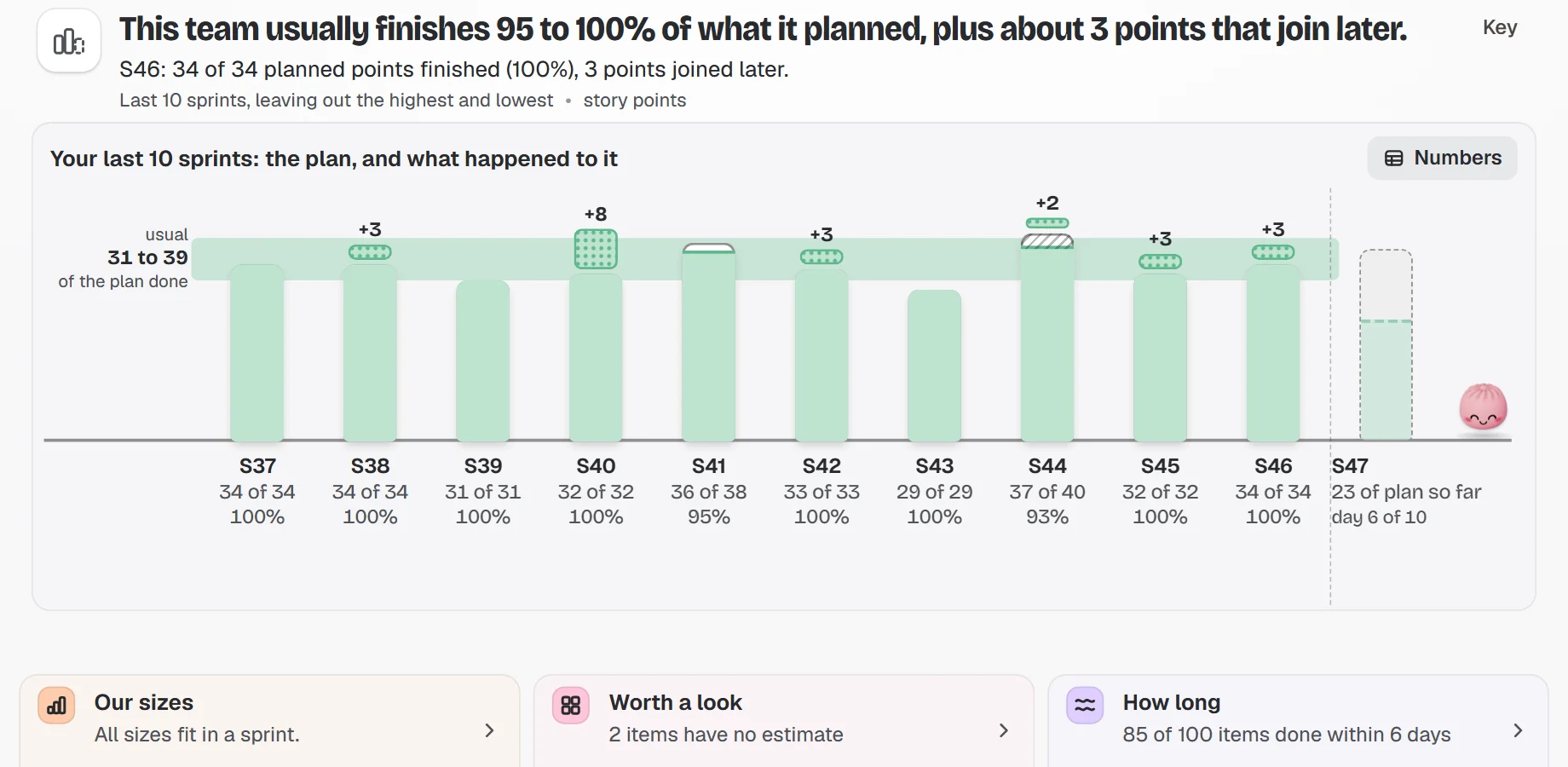
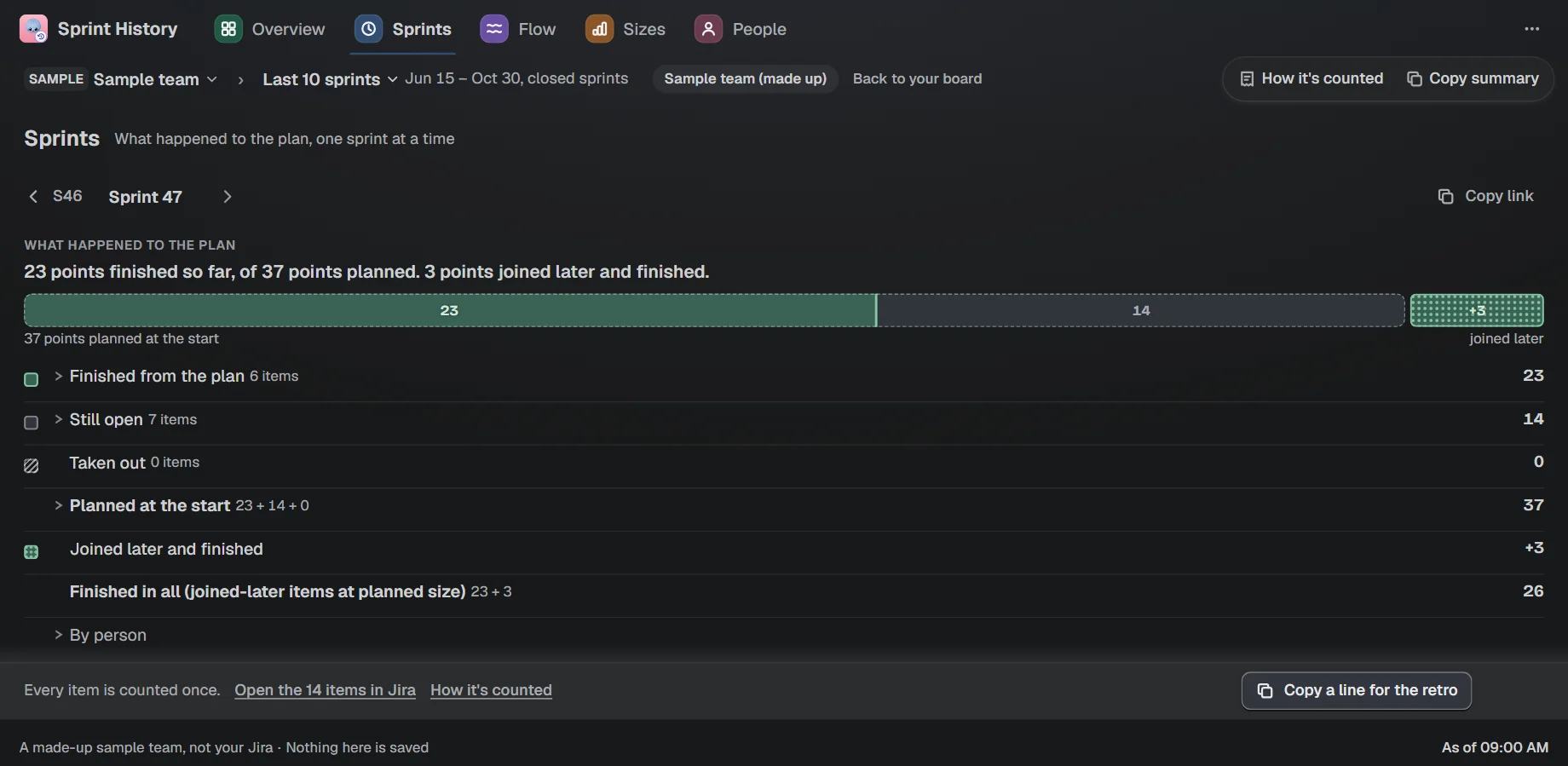
Each sprint shows its plan, what finished from it and what joined later, so extra work never looks like a miracle. Click a jar to see every work item behind each number.
One sentence says what your team usually finishes
If Jira's sprint report shows another number, a line says why
Copy a line for your retro
Sample team
On your dashboard
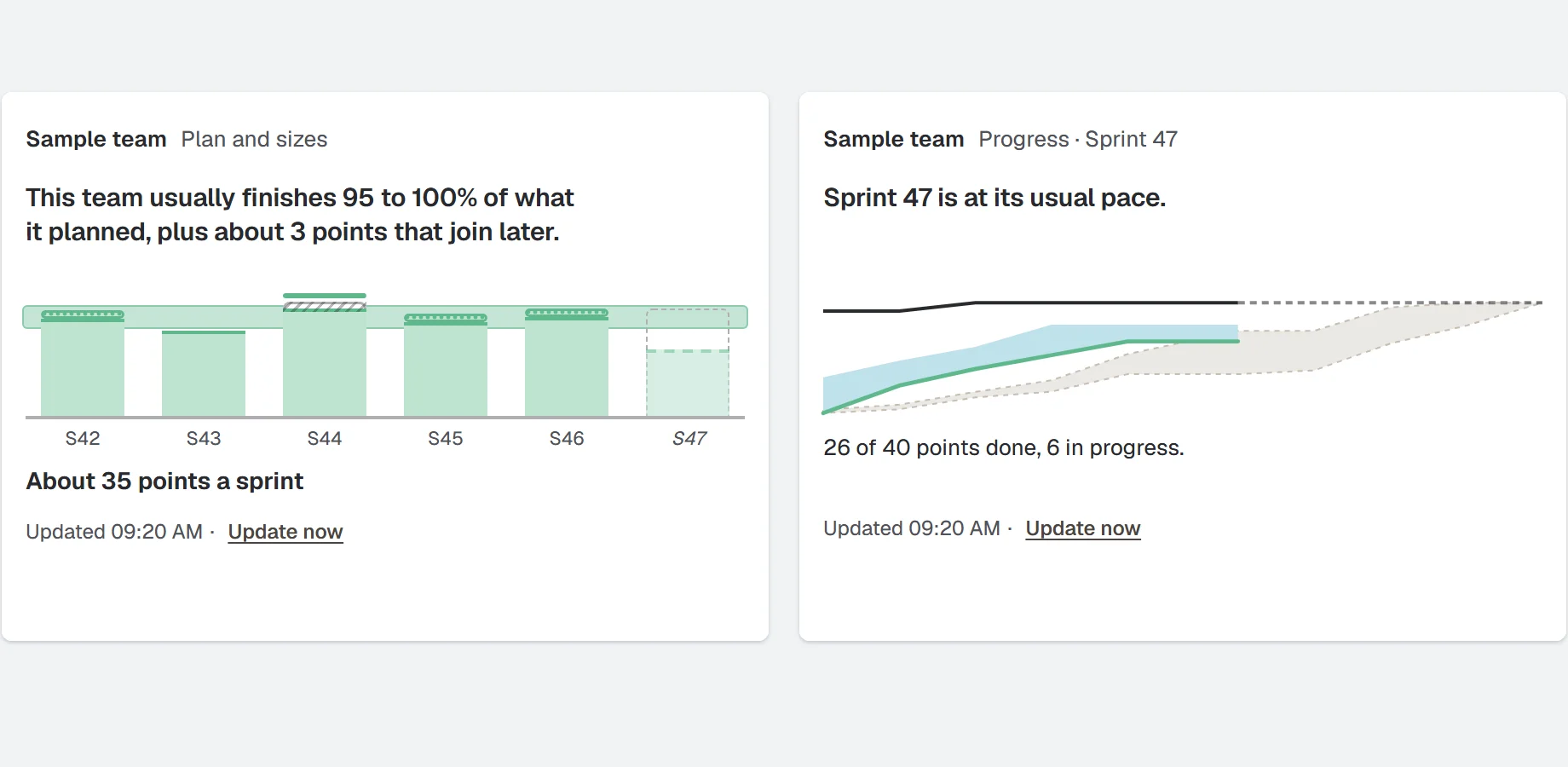
Six gadgets, each with a sentence on top.
Sprint history, Sprint progress, Ageing work, Cycle time, Cumulative flow and Throughput, on classic and new dashboards.
The plan shelf and the running sprint, each with one plain sentence
Cycle time and throughput gadgets for flow
Classic and new dashboards
Sample team
Story points report
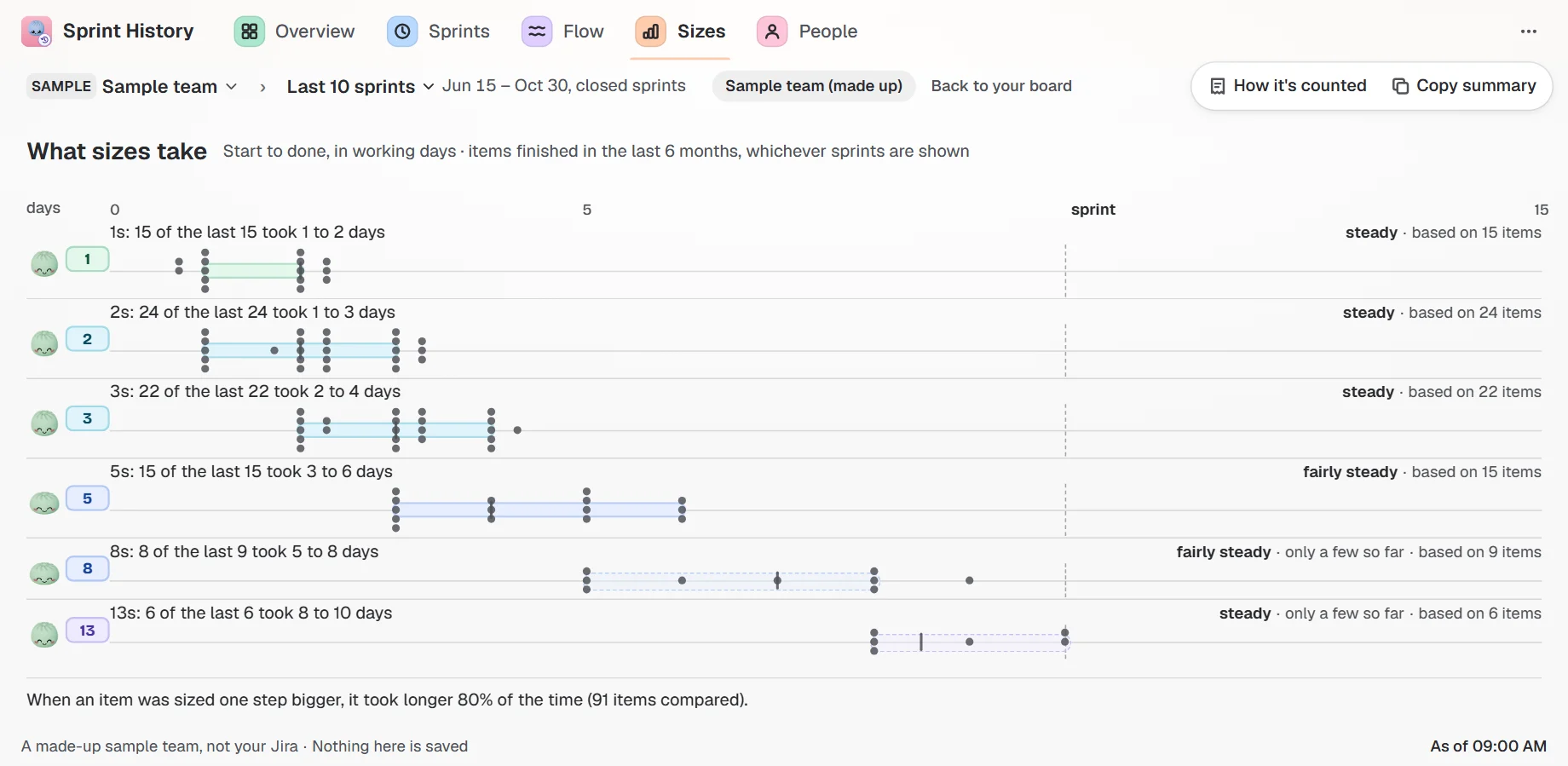
How long each estimate actually took.
See how long each estimate actually took your team on this board, in working days, with the work items behind it. Open an estimate to see the items, longest first.
How many working days each estimate actually took on this board
Points, items or hours
Every number opens the items it is made of
Sample team
Your first chart in a minute
Nothing to set up, no new login.
1
Open a sprint menu
In Jira, open any sprint menu and choose "Bunlings Sprint History".
2
Let it read once
The first time, the app reads your last sprints. That takes a few seconds on a normal board.
3
Read, then open a jar
Read the sentence at the top, then open a jar to see the work items. Add gadgets from any Jira dashboard.
A closer look
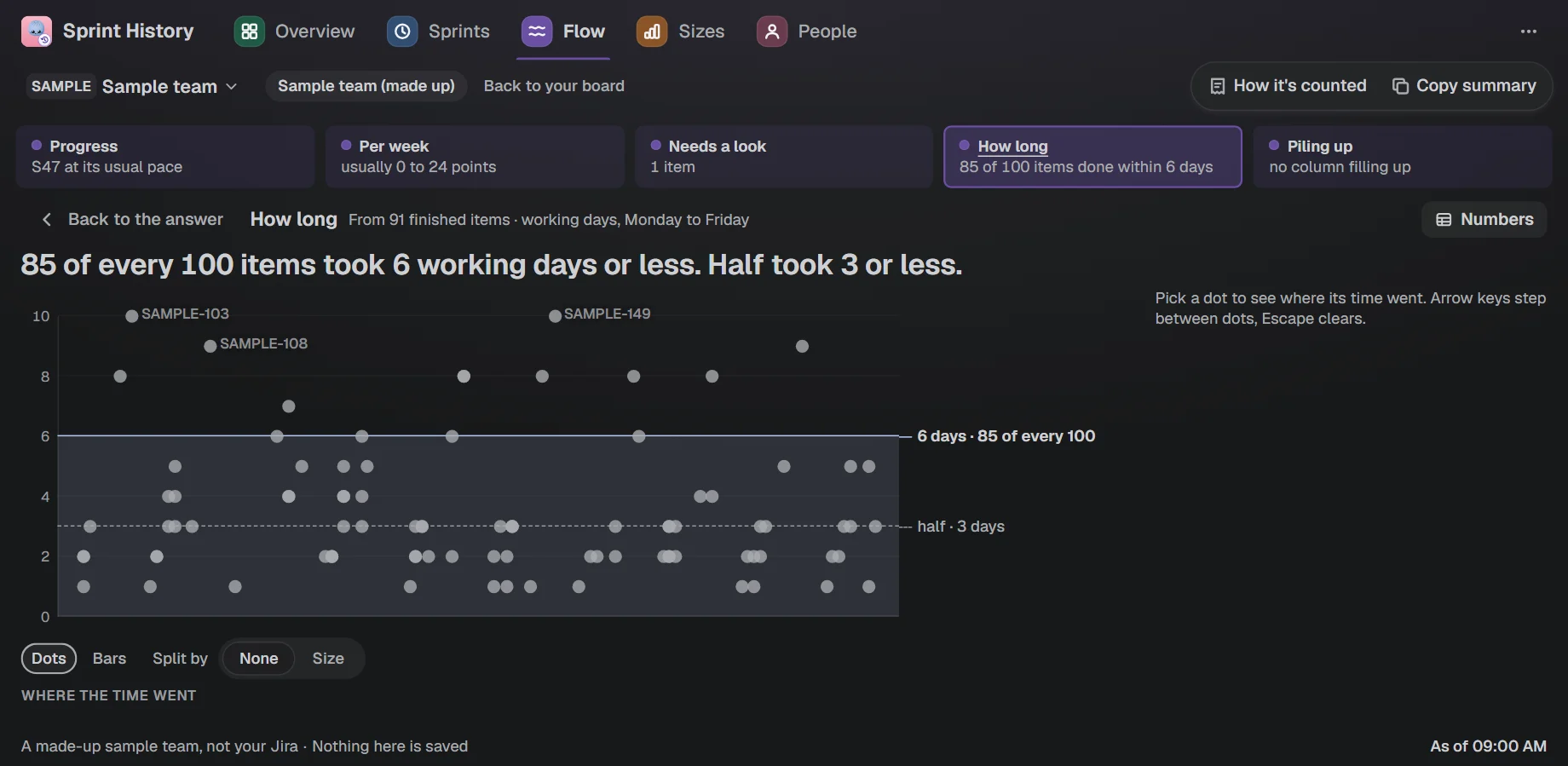
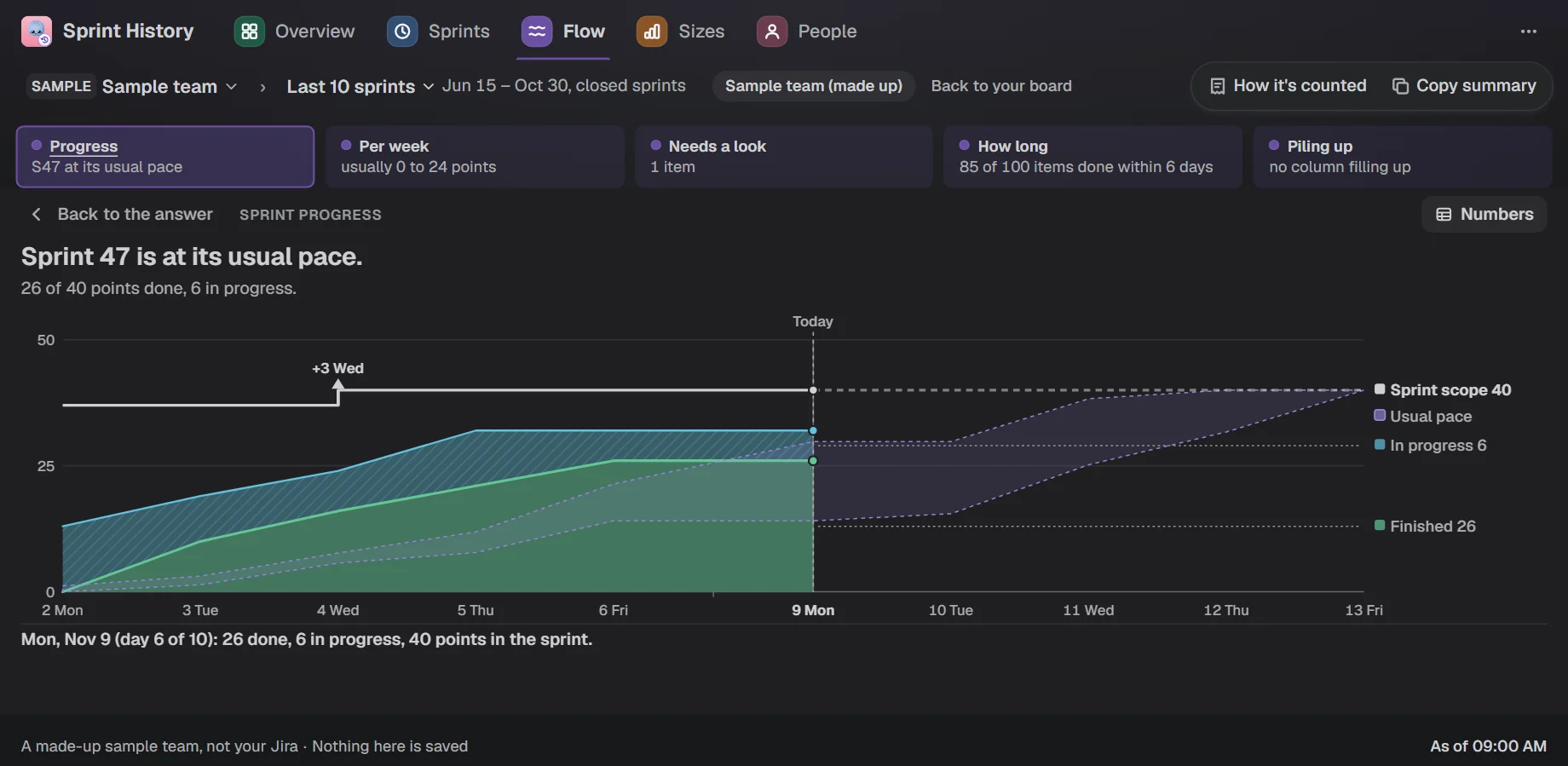
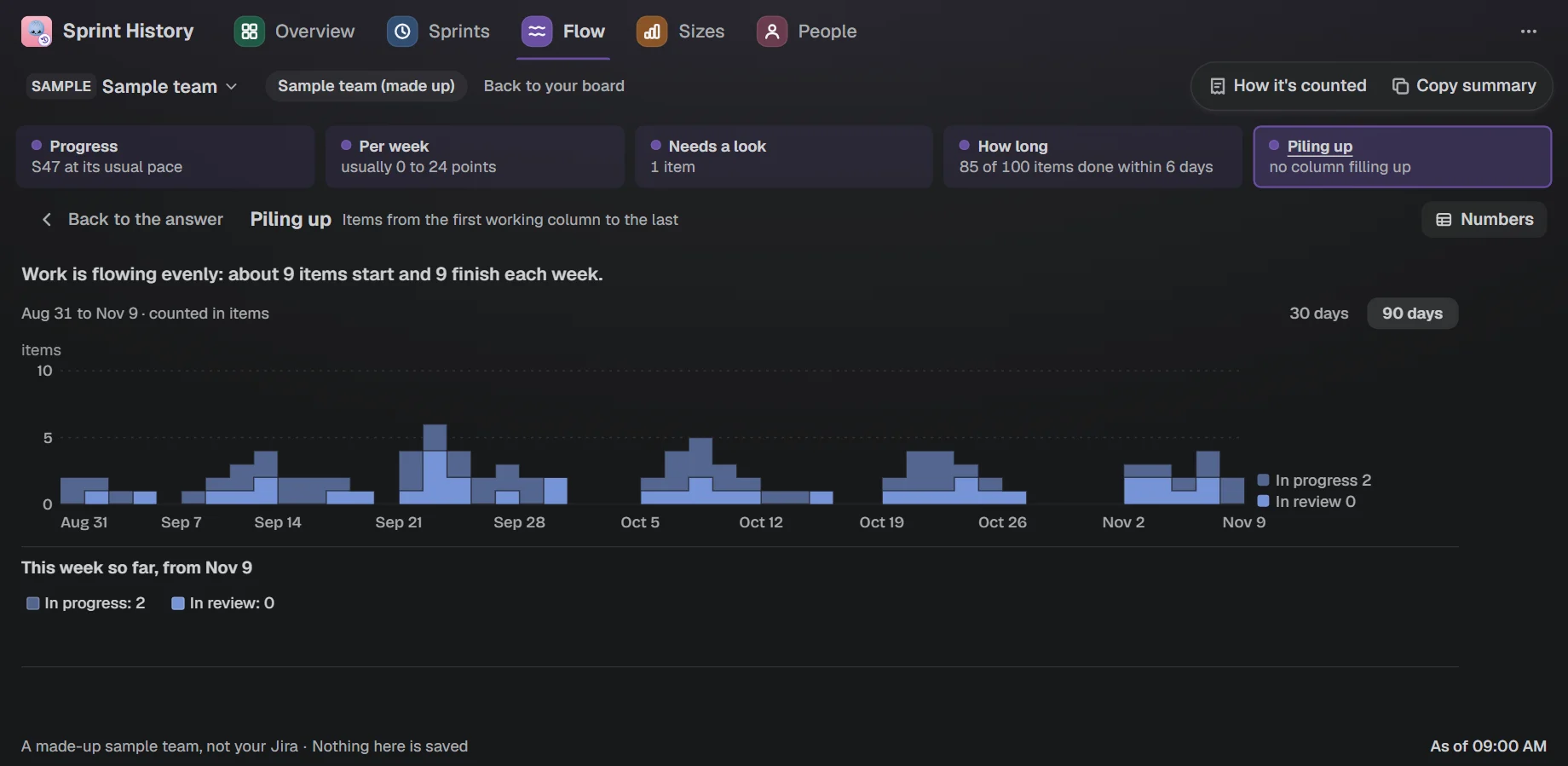
How long work takesCycle time, with the dots behind the sentence.The running sprintThe running sprint against the usual pace from past sprints.What is piling upSee what is piling up, with a sentence on top.
And the rest
Several boards, one view
Boards side by side, each against its own plan.
A Bunling with opinions
It smiles, ponders or gets an idea as your sprints go.
Points, items or hours
Count the way your team does.
Read-only, no outside servers
It reads your Jira and sends nothing anywhere. Ten languages and dark mode too.
Price
Free for up to 10 users, then $1.00 per user a month.
Atlassian bills every Jira user on your site. Bigger sites pay less per user.
You are on Jira Data Center or Server. This app runs on Jira Cloud only.
You want scores per person or team comparisons. The app does not make them: it compares each person only with their own usual range, and there is no leaderboard.
You want the same number as Jira's sprint report on every sprint. Ours can differ, and a "Worth a look" line says why, one difference per row.
The board is new. A usual range needs 3 finished sprints; before that you see the sprints themselves.
You want it to change work items or the sprint. It is read-only.
See the whole story of your sprints.
This app is coming to the Atlassian Marketplace. Ask us to tell you the day it is there.
Also from Unitlane Apps:RequestOps: see who every Jira Service Management request is waiting on·Seatwise: find the Jira licenses nobody uses and handle leavers.

 Bunlings: sprint apps for Jira





 Sample team

 Free Scrum Poker
 Free Sprint Retrospectives
 Free Sprint Forecast