
 Bunlings: sprint apps for Jira





A new laptop request has been sitting at Waiting for approval for six days. The employee has asked twice. The agent does not own the decision, so all she can do is walk over to the manager’s desk or write him a message. Nothing in Jira does it for her.
That is the whole problem with approvals: the request is stuck, nobody on your team can move it, and Jira stays quiet. Atlassian tracks this as an open suggestion, Approval Reminder Notification (JSDCLOUD-8369), with the status Gathering Interest. Until it ships, you have two options: build a reminder with Automation, or use an app.
What approvers get from Jira
When a request reaches a status with an approval step, the approvers are notified by email. They can approve or decline from the help center, straight from the email, or in Slack or Microsoft Teams. Approvers don’t need a Jira Service Management licence. They only need to be customers of the service space.
After that first email, Jira sends no reminder. Atlassian’s notification page also says that customers added as approvers have request notifications off by default, though they still get the one that says their approval is needed.
Sources: Atlassian, What are approvals?, What notifications do customers and the team receive.
Step 1: find what is waiting
Start with a search, which costs nothing. In JQL, approvals = pending() finds every request with a pending approval step. To see what one person holds, add their name:
approvals = pendingApprovalBy(lena)Atlassian describes pendingApprovalBy() as requests where that person is an approver and has not yet approved or declined. Use the user name your site uses. To keep it handy, make it a queue: in your space, open Queue settings, choose Create new queue, and use Advanced to paste the JQL.
Sources: Atlassian, JQL functions, Create a new queue.
Step 2: build the reminder with Automation
Atlassian has a knowledge base article for exactly this, Notify pending approvers using Automation for JSM Cloud. Its pattern:
- Trigger: Scheduled, with Run a JQL search and execute actions for each work item in the query ticked. Use a search like
"Approvals[Approvals]" = pending() AND project = HELP AND status = "Waiting for approval". - Re-fetch work item data, so the approval details are current.
- Conditions that read each approver’s decision from the approval field with smart values, so you only tag people who have not decided.
- Action: Add comment, with a mention of the approver whose decision is pending.
The article gives complete examples for a user picker field with two approvers and for a group picker field, including the smart values. Copy those rather than inventing your own, and replace customfield_ID with your approval field’s ID.
Before you switch it on, think about these:
- Who can see the comment? An internal note is only visible to agents. Atlassian says internal notifications go to agents and admins and never to customers, and approvers can be customers. If your approvers are portal customers, the reminder has to be a comment shared with the customer. That is also visible to everyone else on the request.
- When does it stop? The search finds a request again every time it runs. A daily flow keeps tagging an approver for weeks unless you add your own limit, for example a counter field or a date field checked in a condition.
- Several approval steps. Atlassian’s own suggestion ticket notes that this workaround only works for single-level approval statuses.
- Usage. Every trigger, condition, action, branch and loop that runs counts as an Automation step toward your monthly allowance. A run that performs no actions uses no steps. A scheduled flow that fails 10 times in a row is disabled automatically.
- Away approvers. The flow tags the person named in the field. If that person is on holiday, the tag goes nowhere.
Sources: Atlassian, Notify pending approvers using Automation for JSM Cloud, JSDCLOUD-8369, Automation triggers, How is my automation usage calculated.
When the approver is away
I did not find an away or cover setting for approvers in Atlassian’s approval documentation. Community answers suggest adding the covering colleague to the approvers field by hand, which has to be done request by request, and undone afterwards. Many admins end up asking people to say when they are out, and checking the pending list on Monday.
Or use RequestOps
RequestOps adds the missing pieces as settings. They are off until a Jira admin turns them on.
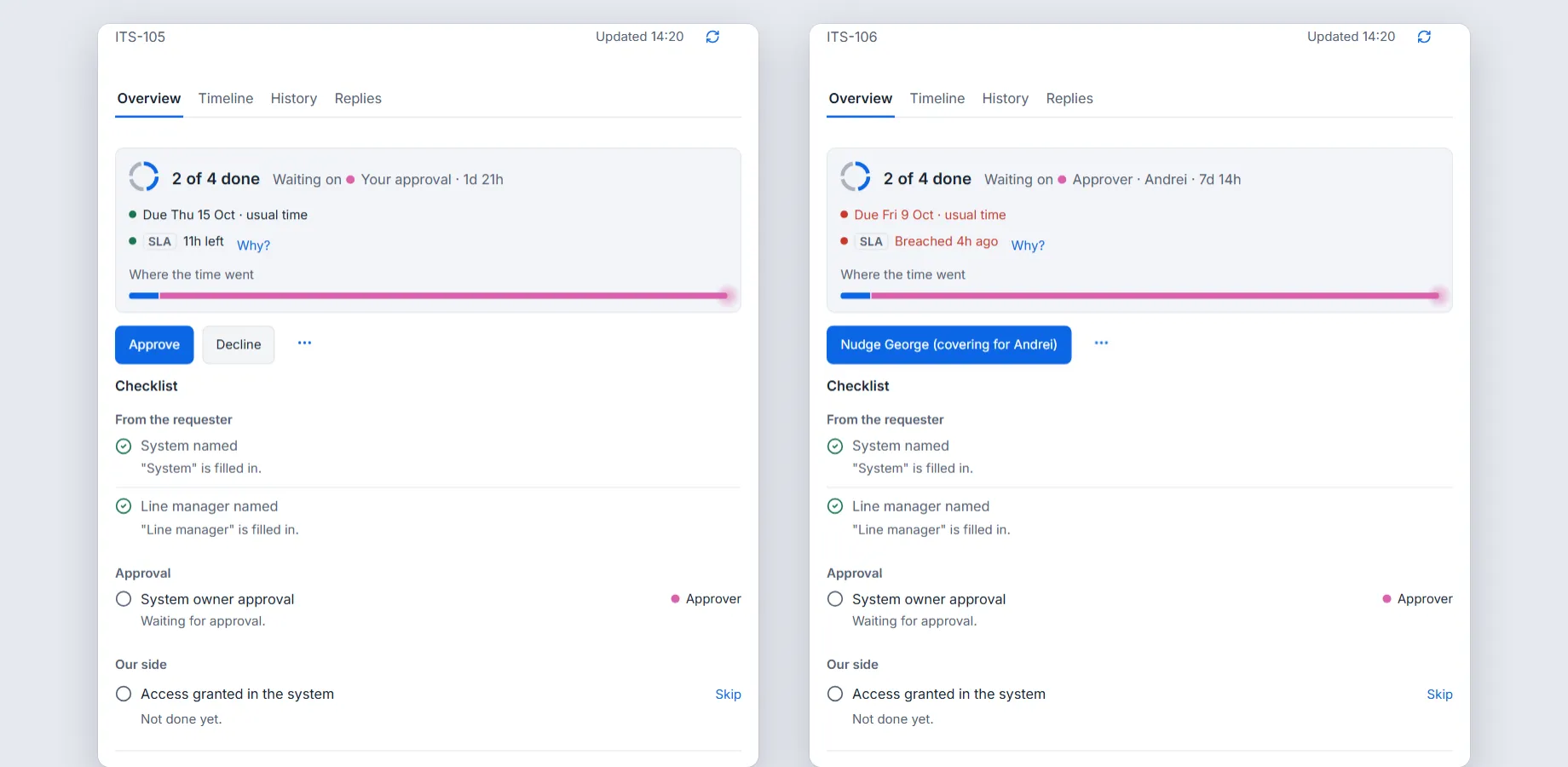
On a request: approve or decline when it is yours, nudge when it is someone else’s. Sample data.
See everything pending. Waiting on, then Approvers, lists every pending approval, who holds it and how long it has waited, longest first. Choose a name to see everything that person holds.
Nudge in one click. On a request, the button carries the approver’s name, such as Nudge Lena. If that person is away, the nudge goes to whoever covers for them.
Remind automatically. A Jira admin opens Settings, then Messages, then Approvals, turns on Nudge slow approvers and chooses First nudge after and Escalate after, both in working days. The defaults are 2 and 4. There are two stages at most: a first nudge to the approver, and then a firmer one to a person you name. Nudges go out at 09:00 in the approver’s own time, and stop as soon as the approval is decided.
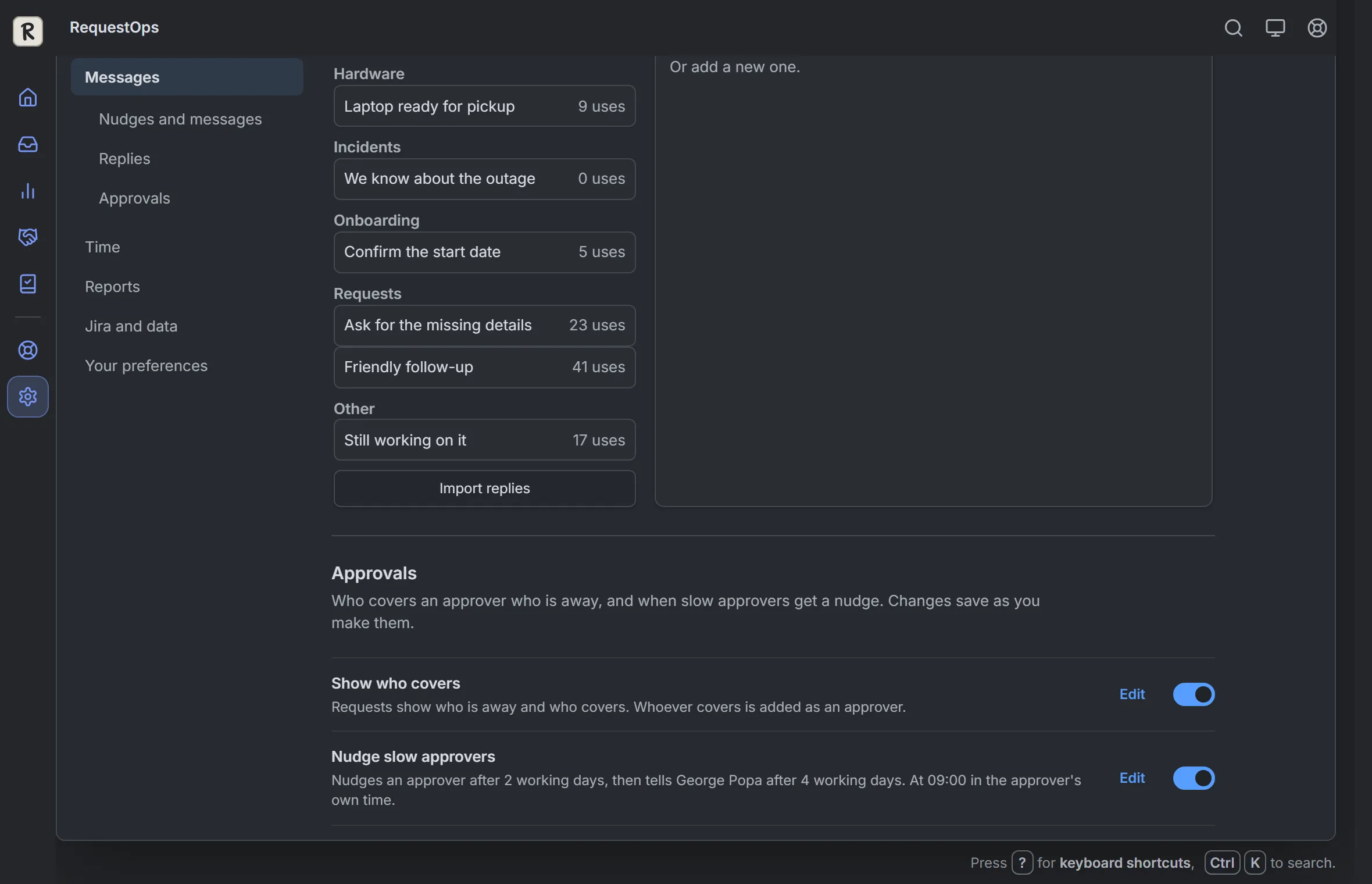
Settings, then Messages, then Approvals. Sample data.
How the nudge reaches people:
- Agents get an internal note that tags them.
- Approvers who are portal customers get a public comment instead, which says “If you are an approver, open the request to approve or decline it.” It never says “your approval” in front of people who are not approvers.
- Automatic notes for agents end with a line saying they were sent automatically. RequestOps also keeps track of when each approver was last nudged.
- A posted comment does not prove that Jira sent a notification. If an approver says they never saw it, check their Jira notification settings.
Cover for someone who is away. An approver sets a first day, a last day and who covers, or a Jira admin sets it for them. A setting chooses whether the covering person is only tagged or added as an approver.
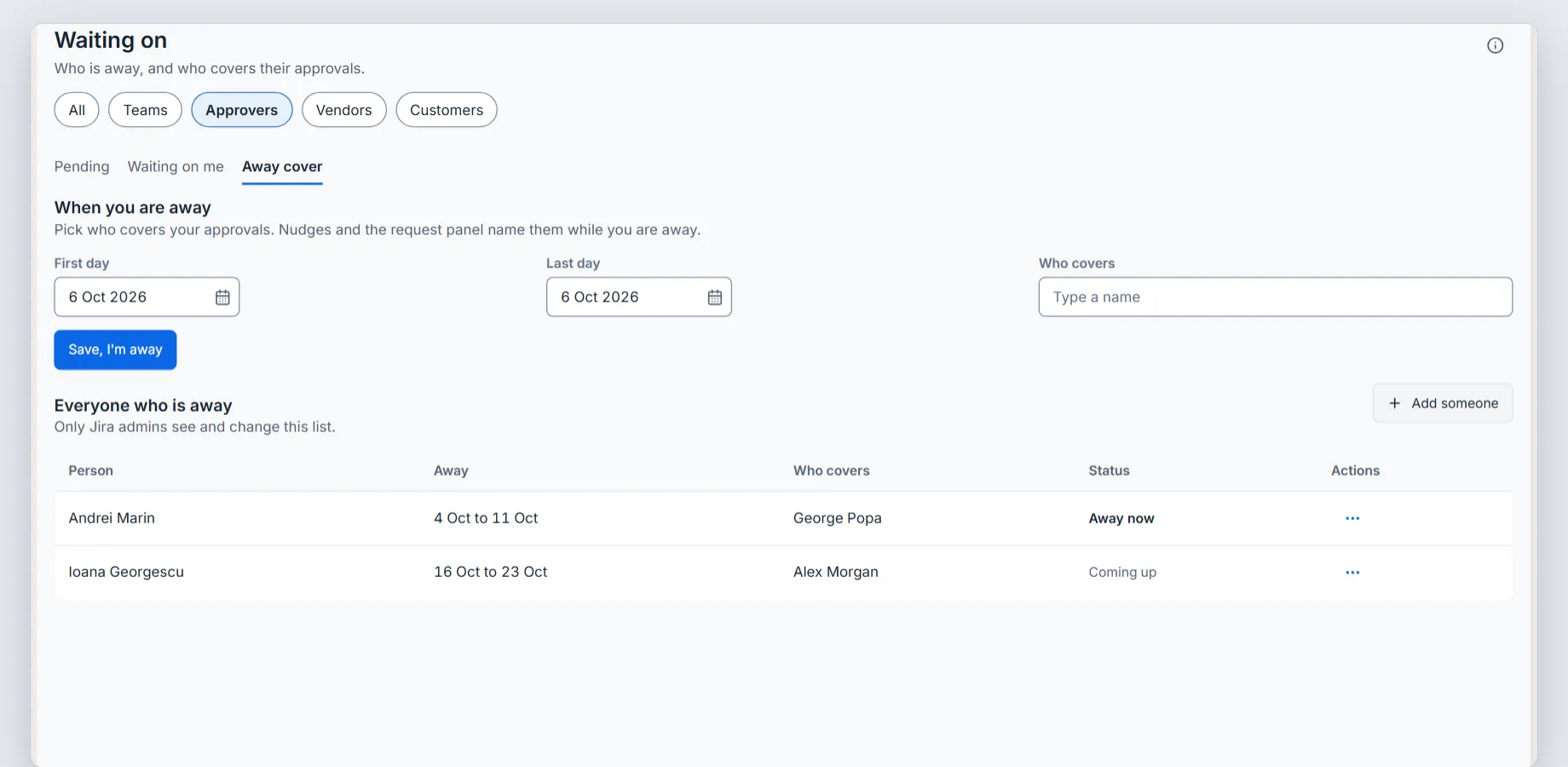
Away cover. Sample data.
The setup guides are Nudge slow approvers, See pending approvals and Set yourself away and choose who covers.
Before you turn any reminder on
- You know whether your approvers are agents or portal customers, and the reminder is visible to them.
- The reminder stops when the approval is decided, and it has a limit.
- Someone is named for the second nudge.
- Away people have cover, or you check the pending list once a week.
- You tried it on one test request first.