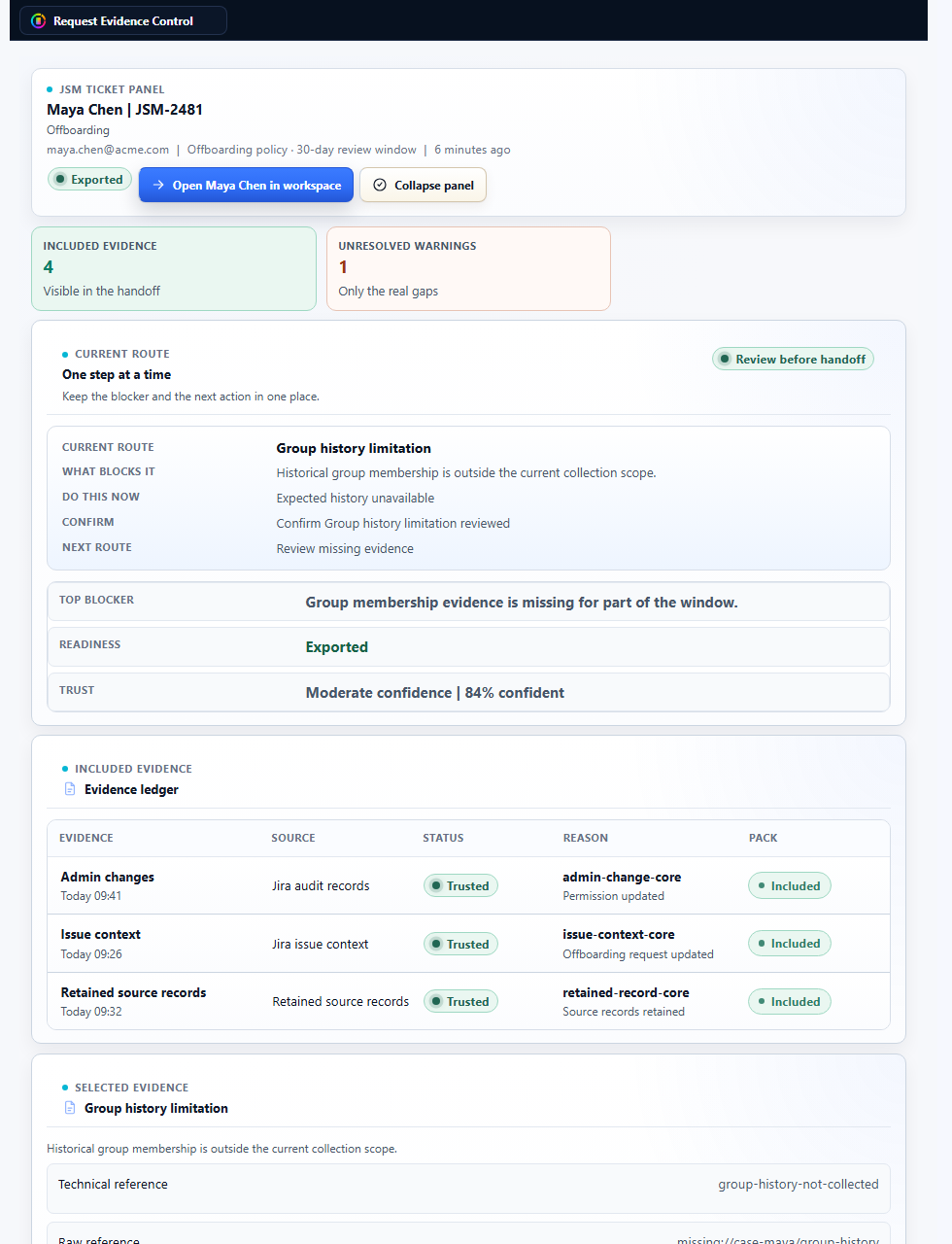
Open from the JSM ticket
The issue panel gives admins a direct path from the service request into the evidence workspace.
 UnitlaneJira cleanup tools
Use Request Evidence Control when a JSM request needs a durable handoff: what was reviewed, what evidence was used, what could not be verified, and what was accepted.
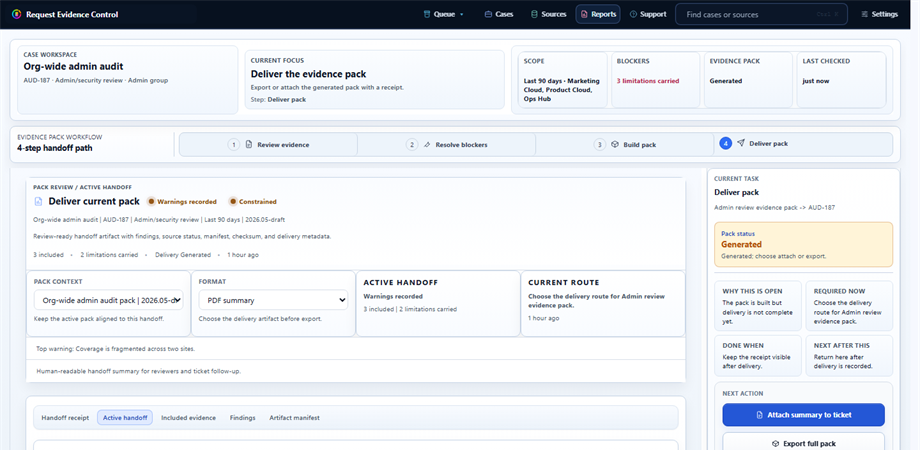
Use this path when a Jira Service Management request needs proof that can still be understood after the ticket is closed.
These screenshots show the ticket entry point, evidence review, and pack delivery states.
The issue panel gives admins a direct path from the service request into the evidence workspace.
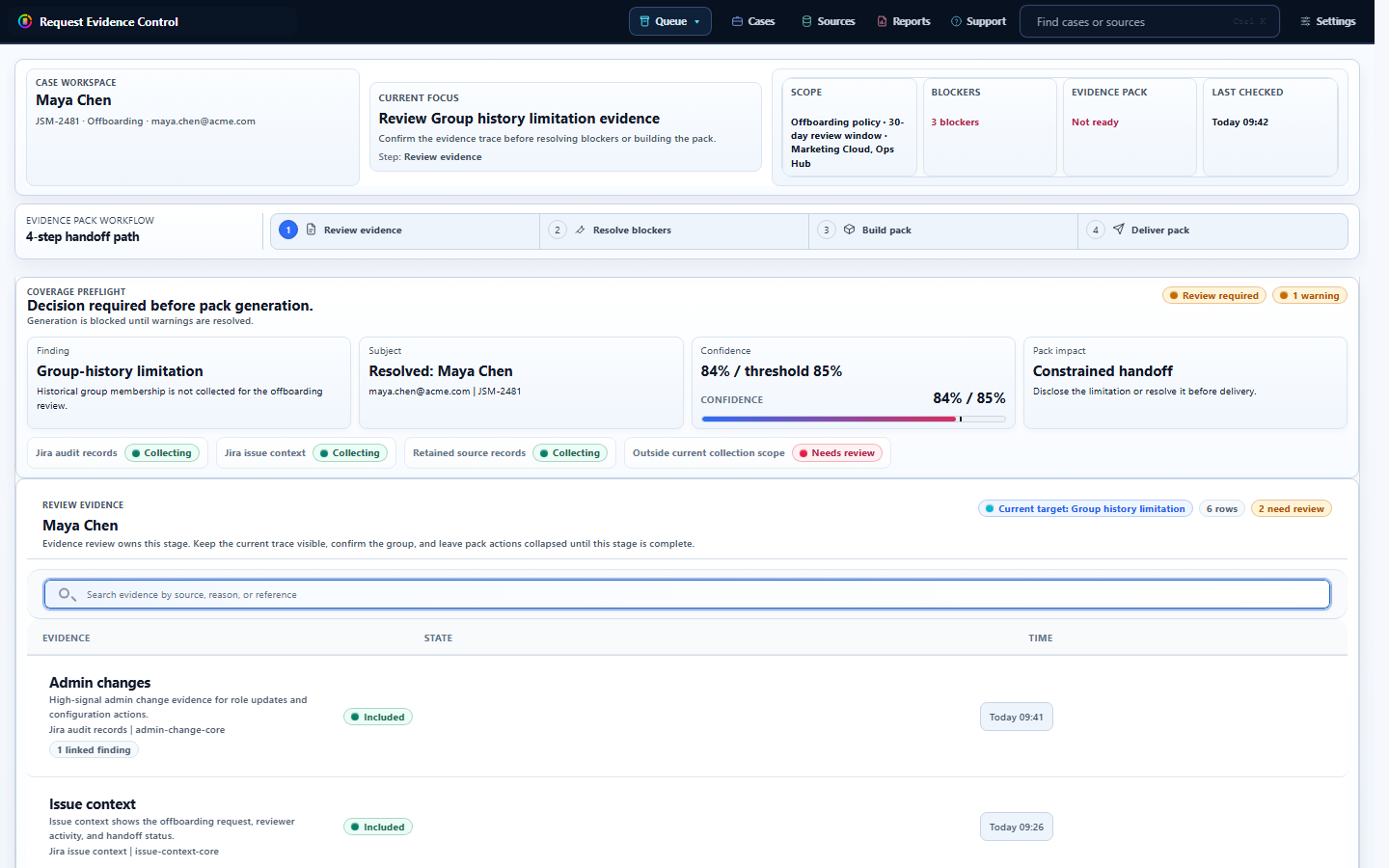
Evidence coverage, review status, and missing source limitations remain visible before handoff.
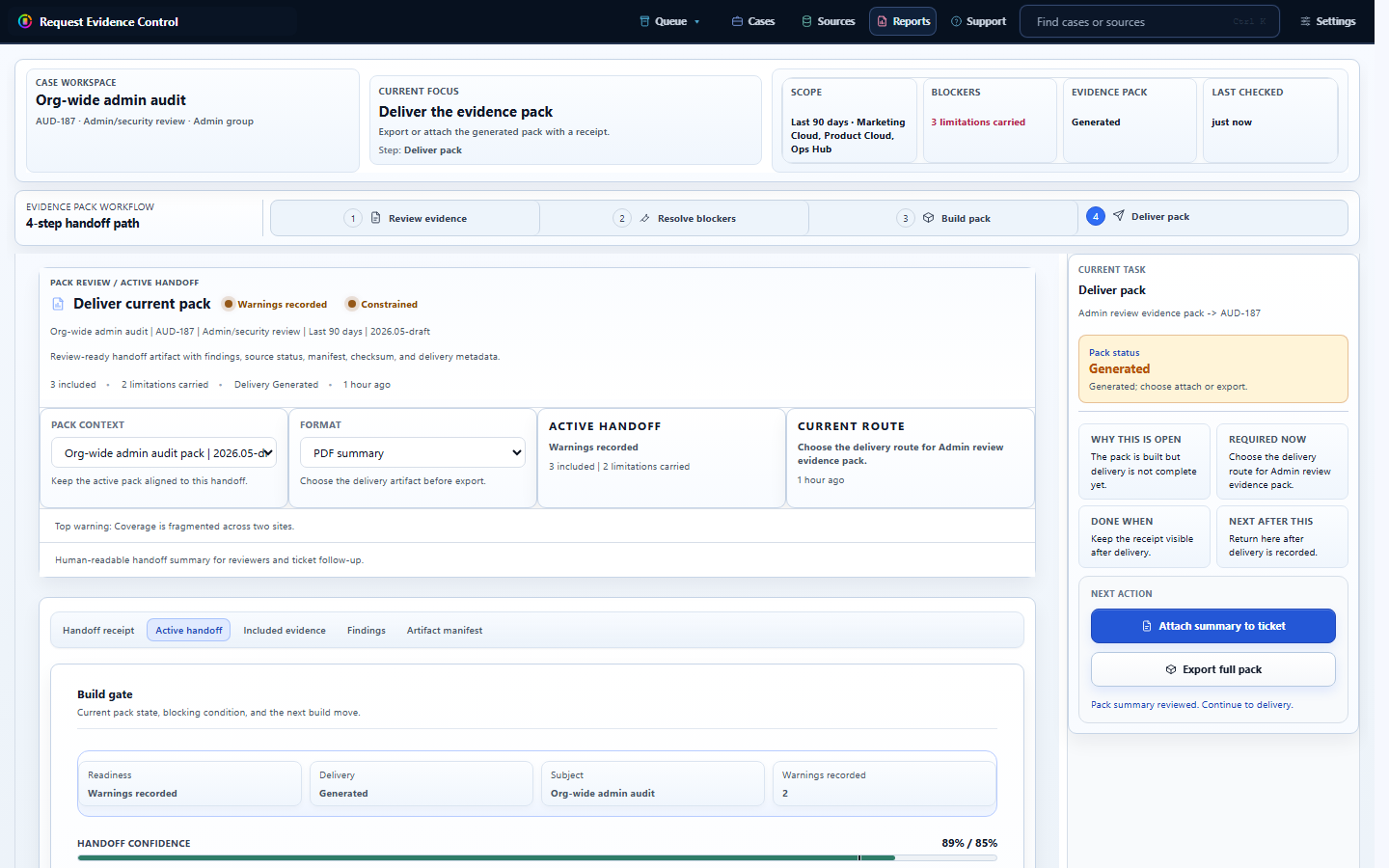
The final pack keeps the receipt, manifest, source status, checksum metadata, and caveats together.
A review-ready pack keeps the record understandable after the ticket is closed.
Who accepted the handoff, when it was accepted, and which warning or limitation was included. Useful when another reviewer needs the request story, source status, and caveats without reconstructing the ticket later.
Pack metadata, export identifiers, checksum metadata, generated timestamps, and delivery status. Useful when another reviewer needs the request story, source status, and caveats without reconstructing the ticket later.
Which source records were included, unavailable, outside scope, or carried forward for review. The weak spot remains visible so the record does not read cleaner than the available evidence allows.
Warnings and limitations remain visible so the reviewer does not overstate what was proven. The weak spot remains visible so the record does not read cleaner than the available evidence allows.
Open the JSM request, review evidence coverage, resolve or acknowledge blockers, build the pack, then export or deliver the review record with preserved caveats. Do not remove a warning unless the underlying evidence gap has actually been resolved.
If historical group membership or another source is not available from collected records, keep that limitation in the handoff. The app should not turn missing evidence into a positive proof claim.
Continue to the product page, security statement, or support page for the Marketplace trial path.