Unitlane logo Unitlane Governed Jira admin software
FAQ

Unitlane FAQ

Short answers for Jira and Atlassian administrators evaluating Unitlane, Group Impact Audit for Jira, and License Guard. This page routes broad questions to the right product, article, trust, or support page without duplicating every product-specific FAQ.

2 focused products Jira admin workflows Read first, then evaluate Updated April 2026
FAQ

Products and fit

Use these answers to choose the right Unitlane route before reading product-specific detail.

What is Unitlane?

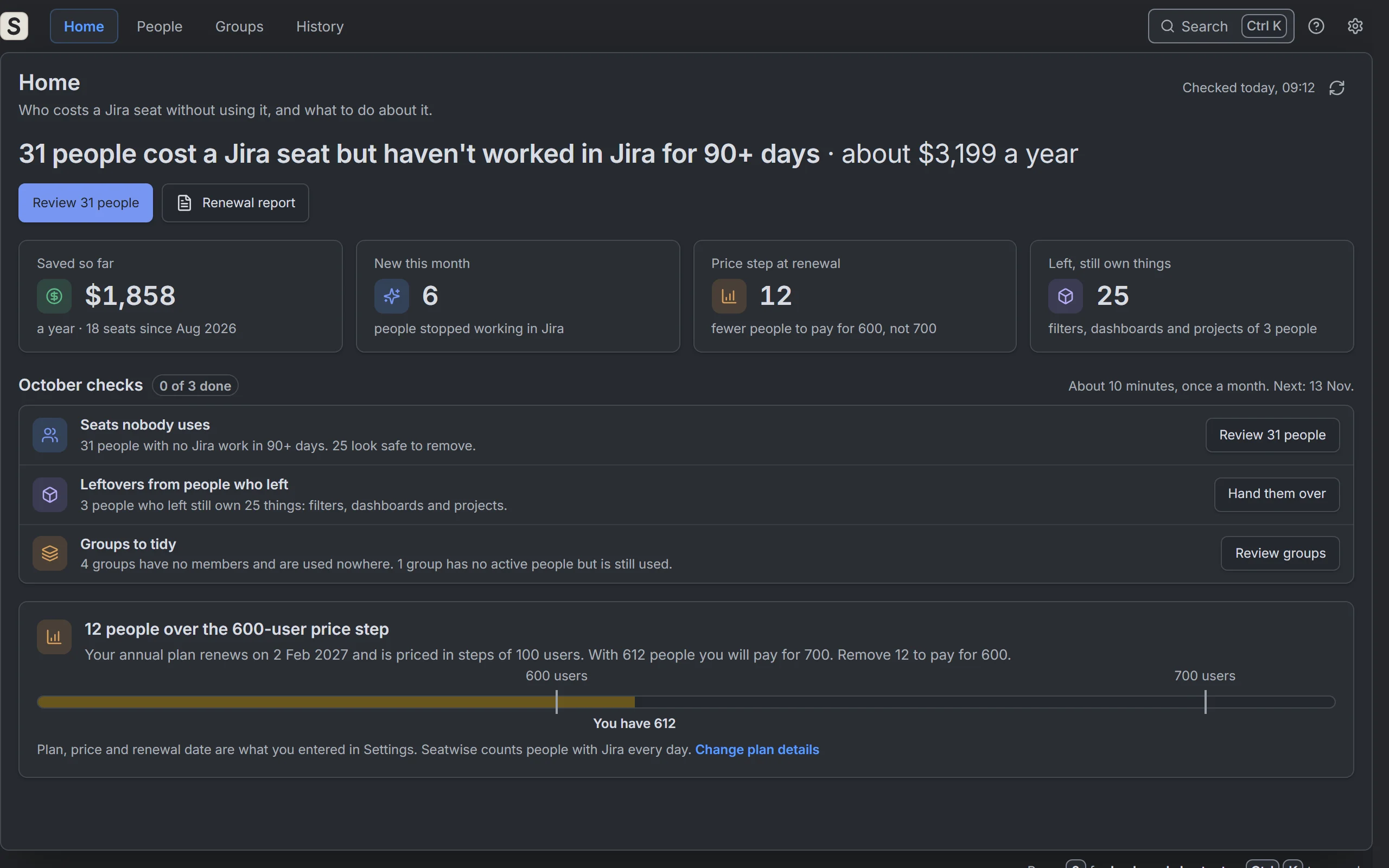
Unitlane builds focused software for Jira and Atlassian administrators. The current products help with two narrow workflows: reviewing Jira group impact before cleanup, and reviewing billable Atlassian access before license cleanup.

Which Unitlane product should I look at first?

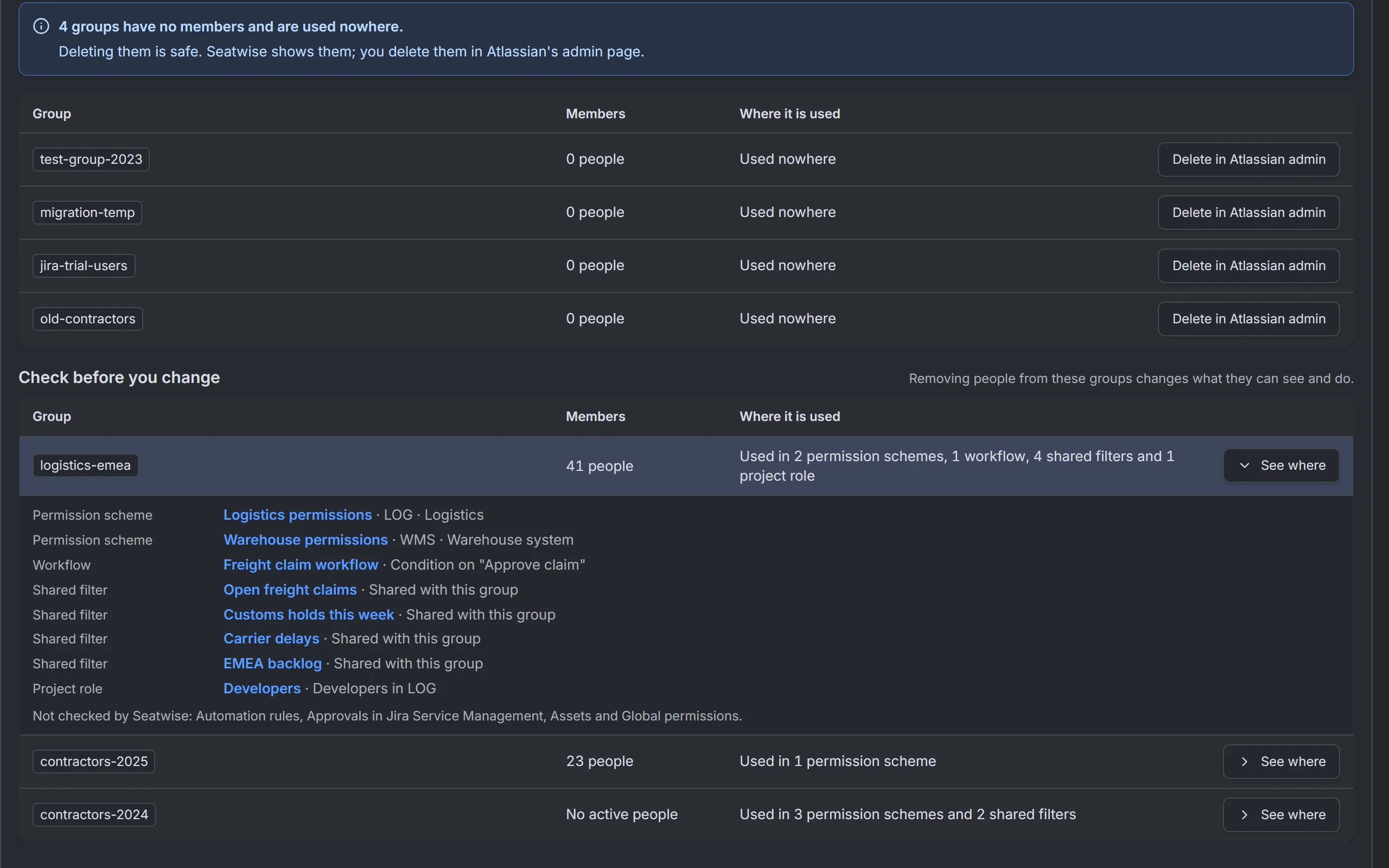
Use Group Impact Audit for Jira when the question is where a Jira group is used before delete, rename, or replacement. Use License Guard when the question is why a Jira user still has product access, app access, or billable access before cleanup.

Is Unitlane a general identity governance platform?

No. Unitlane stays inside Jira admin review workflows: groups, permissions, project access, product access, billable users, inactive users, SCIM boundaries, and cleanup evidence. It does not replace an IdP, SCIM, Atlassian Guard, or an enterprise IGA platform.

FAQ

Safety and scope

These answers are for cautious admins who need to know what the tools do before a trial.

Does Group Impact Audit change Jira permissions?

No. Group Impact Audit is positioned as a read-only review workflow for finding group references and preserving evidence before a group cleanup decision. Use the product FAQ for the current detailed scope.

Does License Guard delete Atlassian user accounts?

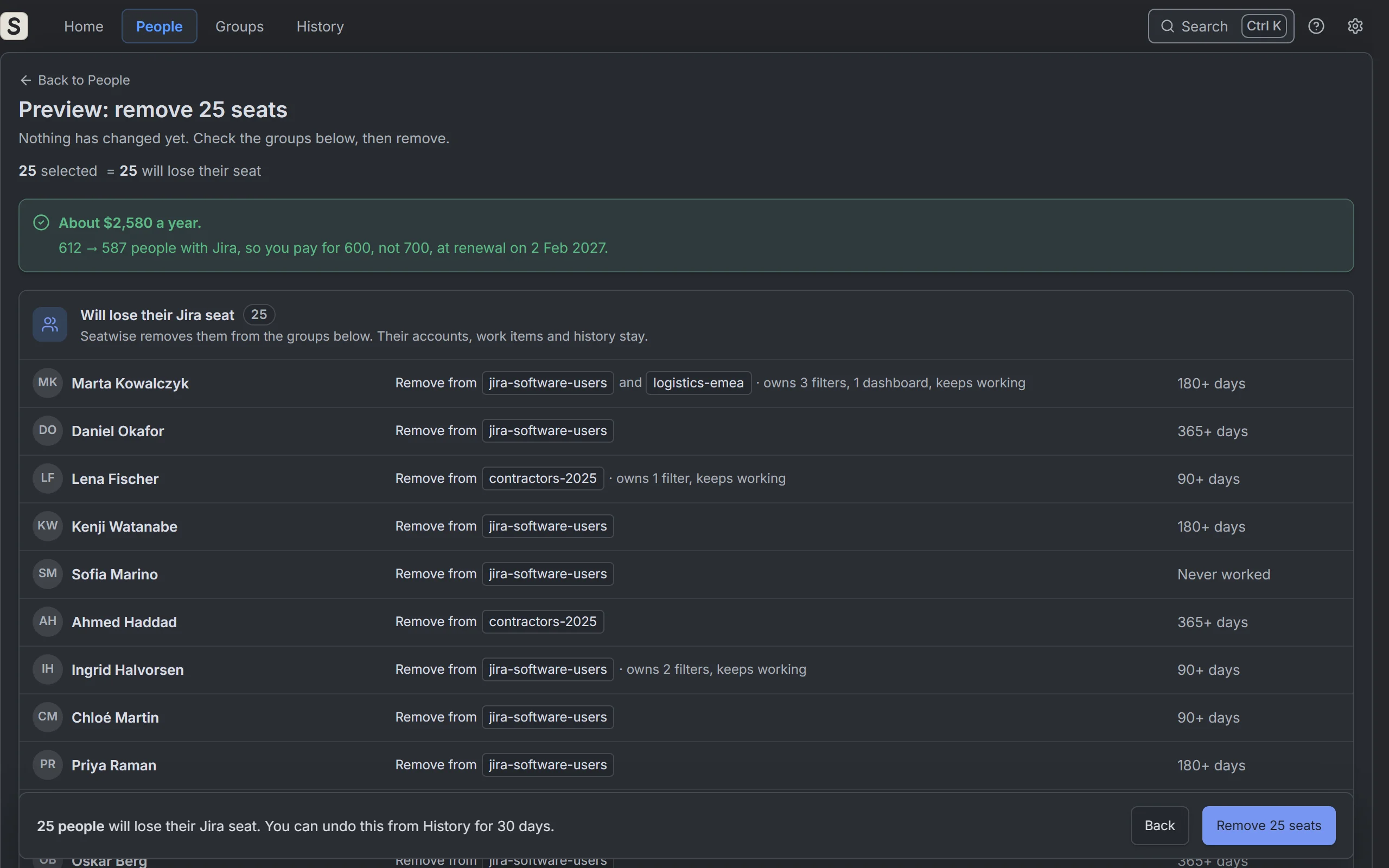
No. License Guard is for reviewing product access, billable paths, exception rows, approval, and proof. It is not account deletion, identity provisioning, or a replacement for Atlassian user-management controls.

Why do the products stay narrow?

Narrow scope makes the review easier to trust. A Jira admin can understand what was inspected, what was left out, what decision was made, and what evidence should survive after the admin console state changes.

FAQ

Jira group cleanup

These answers route group-related questions toward the right educational and product pages.

How do I find where a Jira group is used?

Start by checking where the exact group appears in permission schemes, project roles, default access paths, and externally managed boundaries. The important part is not just finding a reference, but preserving enough evidence to decide delete, rename, replace, or hold.

Can I delete a Jira group safely?

Only after you know whether the group is still referenced, whether it is default or externally managed, who owns the affected access, and what proof another reviewer can inspect later.

Is manual Jira search enough for group cleanup?

Manual search can be enough for quick inspection. It becomes weak when cleanup needs exact matching, repeatable review, approval, evidence export, or comparison against a prior baseline.

FAQ

Product access and license cleanup

These answers handle the common License Guard path: product access, billable users, inactive users, and proof.

What is Jira product access?

Jira product access is the Atlassian app-level access that lets a user enter the product. It is separate from Jira project permissions, and it can be granted through groups, default groups, and other access paths.

Are inactive users the same as billable users?

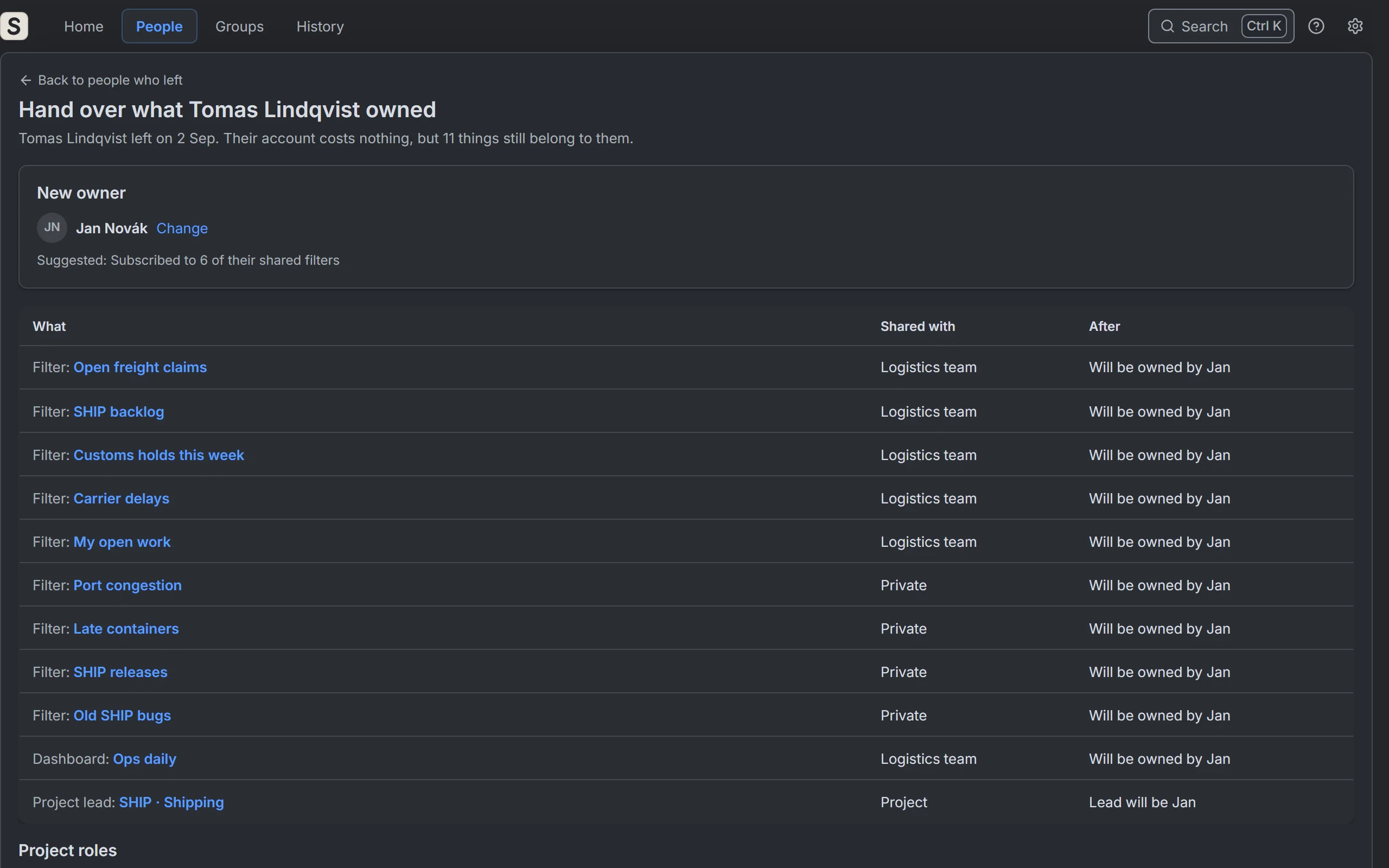
No. Inactivity is a discovery signal. Billability depends on product access and billing rules. A row can be inactive but still need owner review, exception handling, or route-out before cleanup.

Why did removing a user from one group not remove Jira access?

The user may still have access through another group, a default group, direct app access, an externally synced group, or a separate path that was not part of the first removal.

How should we prove license cleanup to finance or audit?

Keep the billable path, owner decision, held-out rows, approval, and cleanup proof tied to the same review cycle. A stale export is useful for discovery, but it is not enough proof by itself.

FAQ

Buying, support, and trust

These answers help evaluators find the right non-article surface.

Where do I ask support or evaluation questions?

Use the support page for product support, evaluation questions, trust review follow-up, and vulnerability reports. Include the product name, site context, timestamp, and the exact workflow step when relevant.

Where are security and legal details?

Use the Trust Center first. It links to product trust boundaries, support, privacy, terms, DPA, and product-specific security pages.

Where can I find deeper product FAQs?

Use the product-specific FAQ pages when the question is about product behavior. The sitewide FAQ is a routing page; product FAQs answer narrower evaluation questions.

Next step

Use the FAQ as a router, not a dead end.

Choose the product FAQ for product behavior, the topic hubs for educational questions, and support when an evaluator needs a direct answer.