New important path
This keeps the review practical: what to inspect, why it matters, and what should remain a manual check before any Jira cleanup decision.
 UnitlaneJira cleanup tools
Opt selected important or retired groups into weekly checks after cleanup or migration.
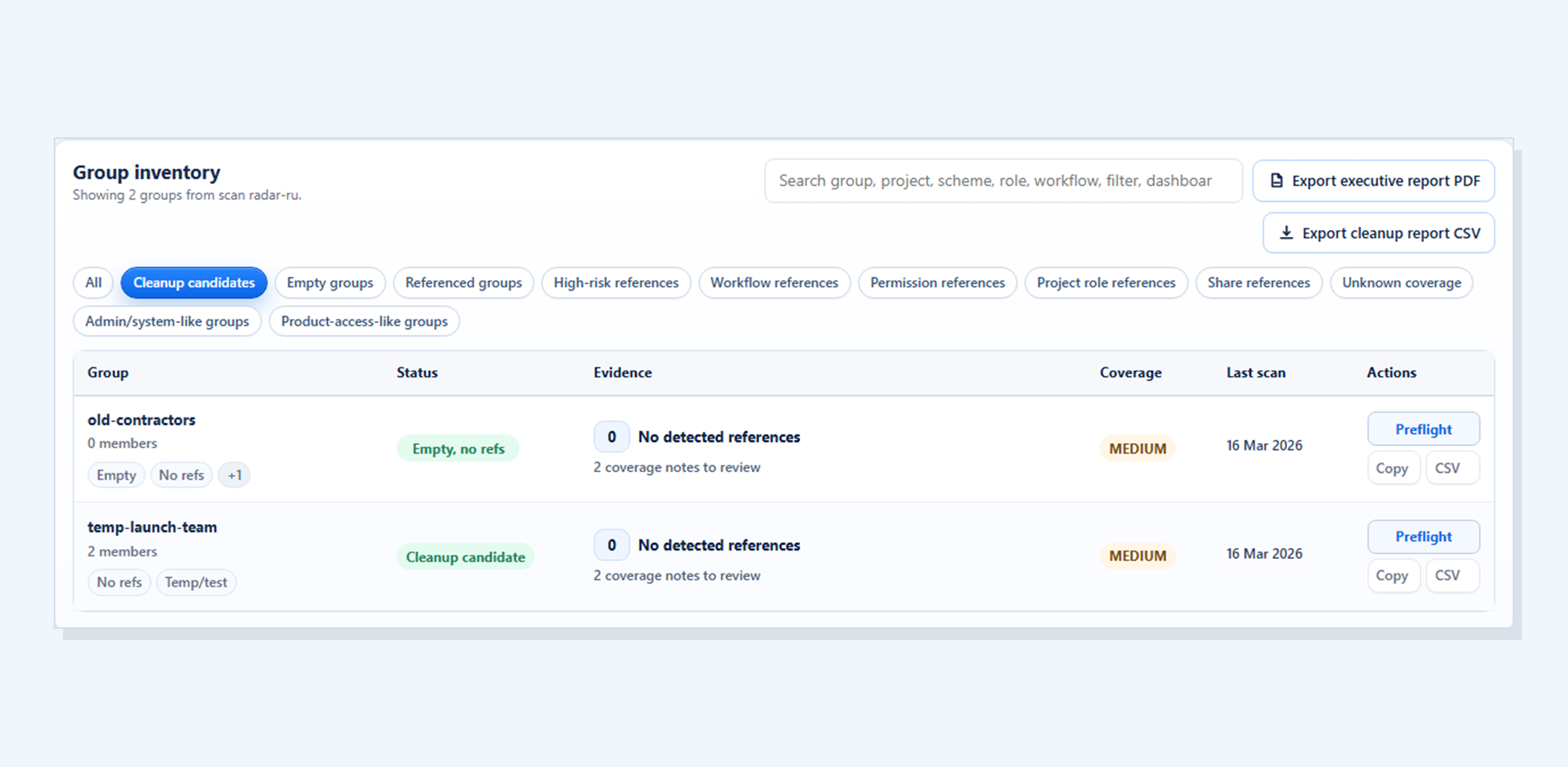
Watch preserves the last durable result and creates an item only for meaningful changes.
This keeps the review practical: what to inspect, why it matters, and what should remain a manual check before any Jira cleanup decision.
This keeps the review practical: what to inspect, why it matters, and what should remain a manual check before any Jira cleanup decision.
This keeps the review practical: what to inspect, why it matters, and what should remain a manual check before any Jira cleanup decision.
No-change checks do not create change events.
Keep proposed changes in a reviewable action plan before applying anything, with selected rows, skips, and estimated impact visible in one place.
This keeps the review practical: what to inspect, why it matters, and what should remain a manual check before any Jira cleanup decision.
Group Cleanup Radar scans and reports findings only; it does not delete, rename, edit permissions, or change Jira configuration.
Continue to Group Cleanup Radar for Jira for the current screenshots, trust boundaries, docs, and Marketplace trial link behind this workflow.